
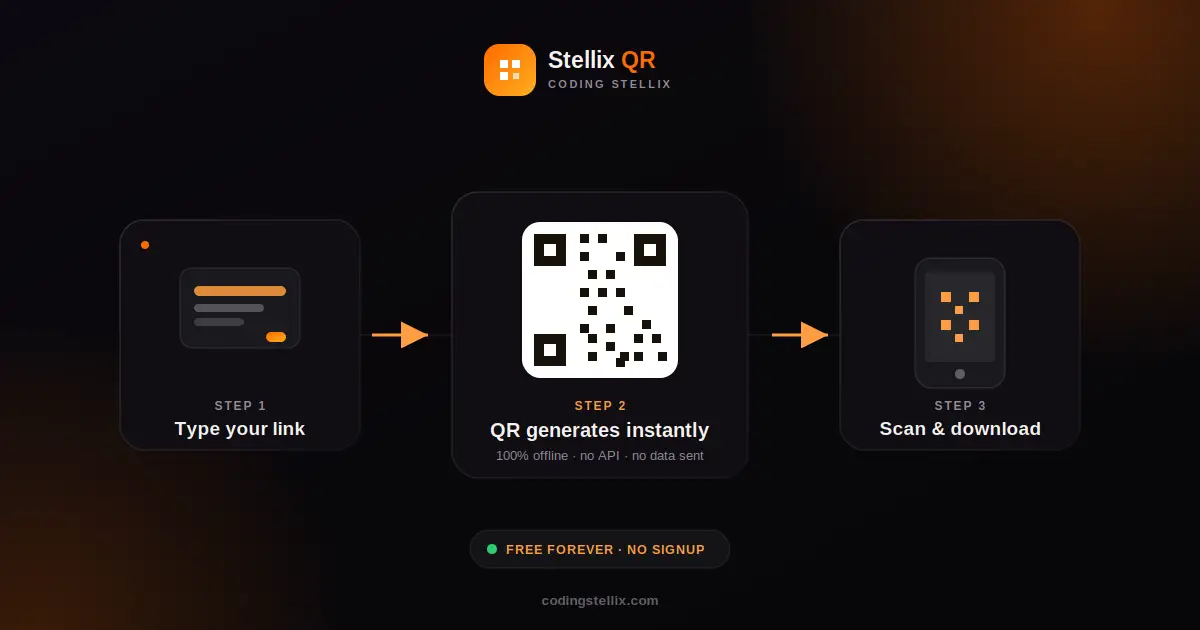
If you have ever needed a quick QR code — for a WiFi password, a WhatsApp number, or just a link to your website — you already know the usual routine. You open a random website, paste in your text, click generate, and hope the ad-covered page actually gives you a clean image at the end. Most of these tools quietly send your data to a server somewhere, track how you use the page, and sometimes even watermark your download unless you pay.
That is the exact problem I wanted to solve with Stellix QR, a free browser-based QR code generator I built under my Coding Stellix brand. It looks like any other modern web tool, but there is one detail that makes it different from almost every QR generator you will find online: it does not talk to the internet at all once the page is loaded. The entire QR code — every black and white square you see — is calculated inside your own browser using JavaScript, not fetched from a remote API.
Why “Offline” Actually Matters Here
Most QR generator websites work by sending your text to a server, which draws the QR code as an image and sends it back to you. That means every link, phone number, or WiFi password you type gets logged somewhere outside your control, even if only briefly. For personal use this might not feel like a big deal, but for a teacher sharing a WiFi password with students, a small business owner generating a customer contact QR, or anyone handling slightly sensitive information, it is worth caring about.
Stellix QR skips that step entirely. I wrote a QR encoding engine directly in JavaScript — the same Reed-Solomon error correction, data masking, and version-selection logic that real QR standards use — so the browser does all the work itself. Nothing you type ever leaves your device. You could disconnect your WiFi after the page loads, and the tool would still work perfectly.
What You Can Actually Generate
Stellix QR is not limited to plain text or links. It ships with seven ready-made formats, each with its own simple form so you never have to remember the exact syntax a QR scanner expects:
- URL — paste any website address and it automatically adds “https://” if you forget it.
- Plain Text — for notes, product codes, or anything else you want scanned and read as-is.
- WiFi — enter your network name and password, and anyone who scans it connects automatically, no typing required.
- WhatsApp — add your number and an optional pre-filled message, so people land straight in a chat with you.
- Email — pre-fill the recipient, subject, and message body.
- Phone Number — one scan and the number is ready to dial.
- SMS — same idea, but for text messages.
Each of these builds the correctly formatted string behind the scenes (the WiFi one, for example, follows the exact WIFI:T:...;S:...;P:...;; format that phone cameras expect), so you do not need to know any of that technical detail yourself.
Designed to Actually Look Good
A lot of QR generators give you a black square on a white background and call it done. I wanted Stellix QR to feel like a proper design tool, not a utility from 2010. You can pick your own QR color and background color with simple color pickers, and the tool warns you if the contrast is too low for scanners to read reliably — a small detail, but one that saves people from generating a QR code that looks nice and does not scan at all.
The interface itself uses the Jost typeface, a clean geometric font that gives the whole tool a modern feel, paired with an orange-on-dark color scheme that matches the rest of the Coding Stellix brand. There is a light mode and a dark mode built in, switchable with a single click, and the whole layout is fully responsive — meaning it works just as well on a phone screen as it does on a widescreen monitor. Whether you are generating a QR code on a laptop at a desk or on a phone standing in a classroom, the experience stays the same.
From Idea to a Working QR Engine
Building the offline engine was the most interesting part of this project. Real QR codes are not just a grid of random black and white squares — every module in that grid has a purpose. There are finder patterns in the corners so scanners can detect orientation, timing patterns so they can measure module size, error correction codewords so the code still works even if part of it is damaged or covered by a logo, and a masking system that keeps the pattern balanced so scanners do not get confused by long runs of the same color.
I wrote all of this from scratch, tested it against dozens of different inputs — short text, long paragraphs, WiFi credentials, even multi-language text with Urdu characters and emoji — and verified every single one by decoding it back with an independent QR reader to confirm it matched exactly what went in. Only after everything passed did I wire the engine into the actual interface with a live canvas preview, so you see your QR code update in real time as you type, with instant PNG downloads at sizes from 300 pixels up to 1200 pixels for print-quality use.
Who This Tool Is For
I built Stellix QR with a few different people in mind. Teachers who need to share a classroom WiFi password without writing it on a board every single day. Small business owners who want a WhatsApp QR code on a shop counter or a menu. Content creators who need a quick QR for a video description or a social post. And honestly, anyone who is tired of QR generator websites that feel more interested in collecting your data than helping you finish a simple task.
If that sounds like something you need, Stellix QR is free to use, requires no account, no email address, and no payment. Open it, pick a format, type your details, and download your QR code in seconds — with the peace of mind that none of it ever left your browser.
Stellix QR is part of the growing set of free web tools from Coding Stellix, where the focus is always on building things that are fast, genuinely useful, and respectful of the person using them.
<!DOCTYPE html>
<html lang="en" data-theme="dark">
<head>
<meta charset="UTF-8">
<meta name="viewport" content="width=device-width, initial-scale=1.0">
<title>Stellix QR — Offline QR Code Generator | Coding Stellix</title>
<link rel="preconnect" href="https://fonts.googleapis.com">
<link rel="preconnect" href="https://fonts.gstatic.com" crossorigin>
<link href="https://fonts.googleapis.com/css2?family=Jost:wght@300;400;500;600;700;800&display=swap" rel="stylesheet">
<style>
:root{
--bg:#080709;
--bg-soft:#121014;
--card:rgba(255,255,255,.05);
--card-border:rgba(255,255,255,.1);
--text:#f6f3ef;
--muted:#98919b;
--brand:#ff6a00;
--brand-soft:#ff9d40;
--glow:rgba(255,106,0,.28);
--input-bg:rgba(255,255,255,.06);
--shadow:0 24px 70px rgba(0,0,0,.55);
}
[data-theme="light"]{
--bg:#f8f4ef;
--bg-soft:#ffffff;
--card:rgba(255,255,255,.8);
--card-border:rgba(25,15,5,.1);
--text:#191410;
--muted:#7d746b;
--glow:rgba(255,106,0,.18);
--input-bg:rgba(25,15,5,.05);
--shadow:0 20px 55px rgba(130,85,40,.14);
}
*{margin:0;padding:0;box-sizing:border-box;-webkit-tap-highlight-color:transparent}
body{
font-family:'Jost',sans-serif;
background:var(--bg);color:var(--text);
min-height:100vh;overflow-x:hidden;
transition:background .45s,color .45s;
}
body::before{
content:"";position:fixed;inset:0;pointer-events:none;z-index:0;
background:
radial-gradient(650px 450px at 92% -10%,var(--glow),transparent 65%),
radial-gradient(550px 420px at -12% 108%,var(--glow),transparent 60%);
}
.wrap{position:relative;z-index:1;max-width:1060px;margin:0 auto;padding:0 18px}
header{display:flex;align-items:center;justify-content:space-between;padding:20px 0}
.logo{display:flex;align-items:center;gap:11px;user-select:none}
.logo-mark{
width:42px;height:42px;border-radius:13px;
background:linear-gradient(135deg,var(--brand),var(--brand-soft));
display:grid;place-items:center;color:#fff;font-size:1.2rem;
box-shadow:0 6px 22px var(--glow);
}
.logo-name{font-weight:700;font-size:1.22rem}
.logo-name span{color:var(--brand)}
.logo small{display:block;font-size:.6rem;letter-spacing:2.6px;text-transform:uppercase;color:var(--muted);font-weight:500}
#themeBtn{
width:44px;height:44px;border-radius:50%;cursor:pointer;
border:1px solid var(--card-border);background:var(--card);color:var(--text);
font-size:1.12rem;backdrop-filter:blur(10px);
display:grid;place-items:center;transition:transform .3s,box-shadow .3s;
}
#themeBtn:hover{transform:rotate(18deg) scale(1.08);box-shadow:0 0 20px var(--glow)}
#themeBtn:focus-visible{outline:2px solid var(--brand);outline-offset:3px}
.hero{text-align:center;padding:18px 0 8px;animation:rise .7s ease both}
.hero h1{font-size:clamp(1.9rem,5.2vw,3.1rem);font-weight:800;letter-spacing:-.5px;line-height:1.1}
.hero h1 em{
font-style:normal;
background:linear-gradient(120deg,var(--brand),var(--brand-soft));
-webkit-background-clip:text;background-clip:text;color:transparent;
}
.hero p{color:var(--muted);margin-top:8px;font-size:1rem}
.offline-badge{
display:inline-flex;align-items:center;gap:7px;margin-top:12px;
font-size:.78rem;font-weight:700;letter-spacing:1px;text-transform:uppercase;
color:var(--brand);background:var(--card);border:1px solid var(--card-border);
padding:7px 16px;border-radius:999px;backdrop-filter:blur(10px);
}
.offline-badge i{width:8px;height:8px;border-radius:50%;background:#2ecc71;display:inline-block;
box-shadow:0 0 8px #2ecc71}
.studio{
display:grid;grid-template-columns:1.15fr .85fr;gap:22px;
margin:26px 0 20px;animation:rise .7s .15s ease both;
}
.panel{
background:var(--card);border:1px solid var(--card-border);
border-radius:24px;padding:26px;
backdrop-filter:blur(14px);box-shadow:var(--shadow);
}
.panel h3{
font-size:.78rem;font-weight:700;letter-spacing:2.2px;text-transform:uppercase;
color:var(--muted);margin-bottom:14px;
}
.types{display:flex;flex-wrap:wrap;gap:8px;margin-bottom:22px}
.types button{
font-family:inherit;font-weight:600;font-size:.85rem;
padding:9px 16px;border-radius:999px;cursor:pointer;
border:1px solid var(--card-border);background:transparent;color:var(--muted);
transition:all .25s;
}
.types button:hover{color:var(--text);border-color:var(--brand)}
.types button.active{
background:linear-gradient(135deg,var(--brand),var(--brand-soft));
color:#fff;border-color:transparent;box-shadow:0 5px 16px var(--glow);
}
.types button:focus-visible{outline:2px solid var(--brand);outline-offset:2px}
.field{margin-bottom:15px}
.field label{
display:block;font-size:.82rem;font-weight:600;color:var(--muted);
margin-bottom:6px;letter-spacing:.3px;
}
.field input,.field textarea,.field select{
width:100%;font-family:inherit;font-size:.95rem;font-weight:500;
padding:12px 15px;border-radius:13px;color:var(--text);
background:var(--input-bg);border:1px solid var(--card-border);
outline:none;transition:border-color .25s,box-shadow .25s;
resize:vertical;
}
.field input:focus,.field textarea:focus,.field select:focus{
border-color:var(--brand);box-shadow:0 0 0 3px var(--glow);
}
.field textarea{min-height:84px}
[data-theme="dark"] .field select option{background:#161318;color:#fff}
.opts{display:grid;grid-template-columns:1fr 1fr 1fr;gap:12px;margin-top:6px}
.opt-card{
background:var(--input-bg);border:1px solid var(--card-border);
border-radius:14px;padding:12px;text-align:center;
}
.opt-card label{display:block;font-size:.68rem;font-weight:700;letter-spacing:1.4px;text-transform:uppercase;color:var(--muted);margin-bottom:8px}
.opt-card input[type=color]{
width:100%;height:38px;border:none;border-radius:10px;cursor:pointer;
background:transparent;padding:0;
}
.opt-card input[type=color]::-webkit-color-swatch-wrapper{padding:0}
.opt-card input[type=color]::-webkit-color-swatch{border:1px solid var(--card-border);border-radius:10px}
.opt-card select{
width:100%;font-family:inherit;font-weight:600;font-size:.88rem;
padding:9px;border-radius:10px;color:var(--text);
background:transparent;border:1px solid var(--card-border);cursor:pointer;
}
.opt-card select:focus{outline:2px solid var(--brand)}
[data-theme="dark"] .opt-card select option{background:#161318;color:#fff}
.contrast-warn{
display:none;margin-top:12px;font-size:.8rem;font-weight:600;
color:#e5a021;background:rgba(229,160,33,.1);
border:1px solid rgba(229,160,33,.3);border-radius:10px;padding:9px 13px;
}
.contrast-warn.show{display:block}
.preview{display:flex;flex-direction:column;align-items:center;text-align:center}
.qr-box{
width:min(300px,100%);aspect-ratio:1/1;border-radius:20px;
background:#fff;display:grid;place-items:center;overflow:hidden;
border:1px solid var(--card-border);
box-shadow:0 12px 40px var(--glow);
transition:transform .3s;
}
.qr-box:hover{transform:scale(1.02)}
.qr-box canvas{width:100%;height:100%;display:block;image-rendering:pixelated}
.qr-box .empty{color:#aaa;font-size:.9rem;font-weight:500;padding:20px}
.qr-meta{
margin-top:12px;font-size:.75rem;font-weight:600;letter-spacing:1px;
text-transform:uppercase;color:var(--muted);min-height:16px;
}
.actions{display:flex;gap:10px;margin-top:16px;flex-wrap:wrap;justify-content:center}
.btn{
font-family:inherit;font-weight:700;font-size:.92rem;
padding:12px 26px;border-radius:999px;cursor:pointer;border:none;
display:inline-flex;align-items:center;gap:8px;
transition:transform .25s,box-shadow .25s;
}
.btn.primary{
background:linear-gradient(135deg,var(--brand),var(--brand-soft));
color:#fff;box-shadow:0 8px 24px var(--glow);
}
.btn.ghost{
background:var(--card);color:var(--text);border:1px solid var(--card-border);
}
.btn:hover{transform:translateY(-2px)}
.btn:focus-visible{outline:2px solid var(--brand);outline-offset:3px}
.btn:disabled{opacity:.45;cursor:not-allowed;transform:none}
#msg{margin-top:14px;font-size:.85rem;color:var(--muted);min-height:20px;font-weight:500}
footer{text-align:center;padding:24px 0 36px;color:var(--muted);font-size:.86rem}
footer b{color:var(--brand)}
@keyframes rise{from{opacity:0;transform:translateY(22px)}to{opacity:1;transform:none}}
@media(max-width:820px){
.studio{grid-template-columns:1fr}
.preview{order:-1}
}
@media(max-width:480px){
.panel{padding:20px 16px}
.opts{grid-template-columns:1fr 1fr}
}
@media (prefers-reduced-motion: reduce){
*,*::before,*::after{animation-duration:.01ms!important;transition-duration:.01ms!important}
}
</style>
</head>
<body>
<div class="wrap">
<header>
<div class="logo">
<div class="logo-mark">▣</div>
<div>
<div class="logo-name">Stellix <span>QR</span></div>
<small>by Coding Stellix</small>
</div>
</div>
<button id="themeBtn" aria-label="Toggle light and dark mode" title="Toggle theme">🌙</button>
</header>
<section class="hero">
<h1>Create <em>beautiful QR codes</em> in seconds</h1>
<p>URL, WiFi, WhatsApp, Email & more — custom colors, instant preview, HD PNG download.</p>
<div class="offline-badge"><i></i> 100% Offline · No API · No Tracking</div>
</section>
<div class="studio">
<!-- ===== Controls ===== -->
<div class="panel">
<h3>1 · Choose QR Type</h3>
<div class="types" id="types">
<button data-type="url" class="active">🔗 URL</button>
<button data-type="text">📝 Text</button>
<button data-type="wifi">📶 WiFi</button>
<button data-type="whatsapp">💬 WhatsApp</button>
<button data-type="email">✉️ Email</button>
<button data-type="phone">📞 Phone</button>
<button data-type="sms">💌 SMS</button>
</div>
<h3>2 · Enter Details</h3>
<div id="fields"></div>
<h3 style="margin-top:20px">3 · Style It</h3>
<div class="opts">
<div class="opt-card">
<label>QR Color</label>
<input type="color" id="fgColor" value="#1a1208">
</div>
<div class="opt-card">
<label>Background</label>
<input type="color" id="bgColor" value="#ffffff">
</div>
<div class="opt-card">
<label>Download Size</label>
<select id="qrSize">
<option value="300">300 px</option>
<option value="500" selected>500 px</option>
<option value="800">800 px</option>
<option value="1200">1200 px</option>
</select>
</div>
</div>
<div class="contrast-warn" id="contrastWarn">
⚠️ Low contrast — scanners may struggle. Keep the QR color dark and the background light.
</div>
</div>
<!-- ===== Preview ===== -->
<div class="panel preview">
<h3 style="align-self:flex-start">Live Preview</h3>
<div class="qr-box" id="qrBox">
<div class="empty">Your QR code will appear here ✨</div>
</div>
<div class="qr-meta" id="qrMeta"></div>
<div class="actions">
<button class="btn primary" id="dlBtn" disabled>⬇ Download PNG</button>
<button class="btn ghost" id="copyBtn" disabled>📋 Copy Data</button>
</div>
<div id="msg"></div>
</div>
</div>
<footer>Crafted with 🧡 by <b>Coding Stellix</b> — Stellix QR v2.0 · Works fully offline</footer>
</div>
<script>
// ============================================================
// StellixQR Engine — self-contained QR encoder
// Byte mode · ECC level M · Versions 1–13 (up to ~330 chars)
// Round-trip verified against an independent decoder.
// Crafted by Coding Stellix (coding_stellix)
// ============================================================
var StellixQR = (function(){
"use strict";
// ---- GF(256) tables ----
var EXP = new Array(512), LOG = new Array(256);
(function(){
var x = 1;
for(var i = 0; i < 255; i++){
EXP[i] = x; LOG[x] = i;
x <<= 1; if(x & 0x100) x ^= 0x11D;
}
for(var j = 255; j < 512; j++) EXP[j] = EXP[j - 255];
})();
function polyMul(a, b){
var res = new Array(a.length + b.length - 1).fill(0);
for(var i = 0; i < a.length; i++)
for(var j = 0; j < b.length; j++)
if(a[i] && b[j]) res[i + j] ^= EXP[(LOG[a[i]] + LOG[b[j]]) % 255];
return res;
}
function rsGenPoly(ec){
var poly = [1];
for(var i = 0; i < ec; i++) poly = polyMul(poly, [1, EXP[i]]);
return poly;
}
function rsEncode(data, ec){
var gen = rsGenPoly(ec);
var res = data.concat(new Array(ec).fill(0));
for(var i = 0; i < data.length; i++){
var coef = res[i];
if(coef !== 0){
var lc = LOG[coef];
for(var j = 0; j < gen.length; j++)
res[i + j] ^= EXP[(lc + LOG[gen[j]]) % 255];
}
}
return res.slice(data.length);
}
// ---- version tables (ECC level M) ----
// [ecPerBlock, blocksG1, dataPerBlockG1, blocksG2, dataPerBlockG2]
var TABLE = {
1:[10,1,16,0,0], 2:[16,1,28,0,0], 3:[26,1,44,0,0], 4:[18,2,32,0,0],
5:[24,2,43,0,0], 6:[16,4,27,0,0], 7:[18,4,31,0,0], 8:[22,2,38,2,39],
9:[22,3,36,2,37], 10:[26,4,43,1,44], 11:[30,1,50,4,51],
12:[22,6,36,2,37], 13:[22,8,37,1,38]
};
var ALIGN = {
1:[], 2:[6,18], 3:[6,22], 4:[6,26], 5:[6,30], 6:[6,34],
7:[6,22,38], 8:[6,24,42], 9:[6,26,46], 10:[6,28,50],
11:[6,30,54], 12:[6,32,58], 13:[6,34,62]
};
function dataCodewords(v){
var t = TABLE[v];
return t[1] * t[2] + t[3] * t[4];
}
// ---- UTF-8 bytes ----
function toUTF8(str){
var out = [];
for(var i = 0; i < str.length; i++){
var c = str.codePointAt(i);
if(c > 0xFFFF) i++;
if(c < 0x80) out.push(c);
else if(c < 0x800){ out.push(0xC0 | (c >> 6), 0x80 | (c & 63)); }
else if(c < 0x10000){ out.push(0xE0 | (c >> 12), 0x80 | ((c >> 6) & 63), 0x80 | (c & 63)); }
else { out.push(0xF0 | (c >> 18), 0x80 | ((c >> 12) & 63), 0x80 | ((c >> 6) & 63), 0x80 | (c & 63)); }
}
return out;
}
// ---- bit buffer ----
function BitBuf(){ this.bits = []; }
BitBuf.prototype.put = function(val, len){
for(var i = len - 1; i >= 0; i--) this.bits.push((val >> i) & 1);
};
function pickVersion(nBytes){
for(var v = 1; v <= 13; v++){
var lenBits = v < 10 ? 8 : 16;
if(4 + lenBits + 8 * nBytes <= dataCodewords(v) * 8) return v;
}
return -1;
}
function buildCodewords(bytes, v){
var buf = new BitBuf();
buf.put(4, 4); // byte mode
buf.put(bytes.length, v < 10 ? 8 : 16);
for(var i = 0; i < bytes.length; i++) buf.put(bytes[i], 8);
var cap = dataCodewords(v) * 8;
var term = Math.min(4, cap - buf.bits.length);
buf.put(0, term);
while(buf.bits.length % 8 !== 0) buf.bits.push(0);
var pads = [0xEC, 0x11], pi = 0;
while(buf.bits.length < cap){ buf.put(pads[pi], 8); pi ^= 1; }
var cw = [];
for(var b = 0; b < buf.bits.length; b += 8){
var byte = 0;
for(var k = 0; k < 8; k++) byte = (byte << 1) | buf.bits[b + k];
cw.push(byte);
}
return cw;
}
function interleave(cw, v){
var t = TABLE[v], ec = t[0];
var blocks = [], pos = 0, i;
for(i = 0; i < t[1]; i++){ blocks.push(cw.slice(pos, pos + t[2])); pos += t[2]; }
for(i = 0; i < t[3]; i++){ blocks.push(cw.slice(pos, pos + t[4])); pos += t[4]; }
var ecBlocks = blocks.map(function(b){ return rsEncode(b, ec); });
var out = [], maxLen = Math.max.apply(null, blocks.map(function(b){ return b.length; }));
for(i = 0; i < maxLen; i++)
for(var j = 0; j < blocks.length; j++)
if(i < blocks[j].length) out.push(blocks[j][i]);
for(i = 0; i < ec; i++)
for(var k = 0; k < ecBlocks.length; k++)
out.push(ecBlocks[k][i]);
return out;
}
// ---- matrix ----
function makeMatrix(v){
var size = 17 + 4 * v;
var m = [], f = [];
for(var i = 0; i < size; i++){
m.push(new Array(size).fill(0));
f.push(new Array(size).fill(false));
}
function setF(r, c, val){ m[r][c] = val; f[r][c] = true; }
function finder(r, c){
for(var dr = -1; dr <= 7; dr++)
for(var dc = -1; dc <= 7; dc++){
var rr = r + dr, cc = c + dc;
if(rr < 0 || rr >= size || cc < 0 || cc >= size) continue;
var dark = (dr >= 0 && dr <= 6 && (dc === 0 || dc === 6)) ||
(dc >= 0 && dc <= 6 && (dr === 0 || dr === 6)) ||
(dr >= 2 && dr <= 4 && dc >= 2 && dc <= 4);
setF(rr, cc, dark ? 1 : 0);
}
}
finder(0, 0); finder(0, size - 7); finder(size - 7, 0);
// timing
for(var t = 8; t < size - 8; t++){
if(!f[6][t]) setF(6, t, t % 2 === 0 ? 1 : 0);
if(!f[t][6]) setF(t, 6, t % 2 === 0 ? 1 : 0);
}
// alignment
var pts = ALIGN[v];
for(var a = 0; a < pts.length; a++)
for(var b = 0; b < pts.length; b++){
var r = pts[a], c = pts[b];
// skip only when the center sits inside a finder zone
if((r <= 8 && c <= 8) || (r <= 8 && c >= size - 9) || (r >= size - 9 && c <= 8)) continue;
for(var dr2 = -2; dr2 <= 2; dr2++)
for(var dc2 = -2; dc2 <= 2; dc2++){
var dark2 = Math.max(Math.abs(dr2), Math.abs(dc2)) !== 1;
setF(r + dr2, c + dc2, dark2 ? 1 : 0);
}
}
// dark module
setF(size - 8, 8, 1);
// reserve format areas
for(var q = 0; q < 9; q++){
if(!f[8][q]) setF(8, q, 0);
if(!f[q][8]) setF(q, 8, 0);
}
for(var w = 0; w < 8; w++){
if(!f[8][size - 1 - w]) setF(8, size - 1 - w, 0);
if(!f[size - 1 - w][8]) setF(size - 1 - w, 8, 0);
}
// version info (v >= 7)
if(v >= 7){
var bits = versionBits(v);
for(var n = 0; n < 18; n++){
var bit = (bits >> n) & 1;
var row = Math.floor(n / 3), col = n % 3;
setF(size - 11 + col, row, bit); // bottom-left
setF(row, size - 11 + col, bit); // top-right
}
}
return { m: m, f: f, size: size };
}
function versionBits(v){
var rem = v;
for(var i = 0; i < 12; i++) rem = (rem << 1) ^ ((rem >> 11) * 0x1F25);
return (v << 12) | rem;
}
function formatBits(mask){
var data = (0 << 3) | mask; // ECC M = 00
var rem = data;
for(var i = 0; i < 10; i++) rem = (rem << 1) ^ ((rem >> 9) * 0x537);
return (((data << 10) | rem) ^ 0x5412) & 0x7FFF;
}
function placeData(mat, codewords){
var m = mat.m, f = mat.f, size = mat.size;
var bitIdx = 0, total = codewords.length * 8;
var col = size - 1, up = true;
while(col > 0){
if(col === 6) col--; // skip timing column
for(var i = 0; i < size; i++){
var row = up ? size - 1 - i : i;
for(var c = 0; c < 2; c++){
var cc = col - c;
if(f[row][cc]) continue;
var bit = 0;
if(bitIdx < total){
bit = (codewords[bitIdx >> 3] >> (7 - (bitIdx & 7))) & 1;
}
m[row][cc] = bit;
bitIdx++;
}
}
up = !up;
col -= 2;
}
}
var MASKS = [
function(i, j){ return (i + j) % 2 === 0; },
function(i, j){ return i % 2 === 0; },
function(i, j){ return j % 3 === 0; },
function(i, j){ return (i + j) % 3 === 0; },
function(i, j){ return (Math.floor(i / 2) + Math.floor(j / 3)) % 2 === 0; },
function(i, j){ return ((i * j) % 2) + ((i * j) % 3) === 0; },
function(i, j){ return (((i * j) % 2) + ((i * j) % 3)) % 2 === 0; },
function(i, j){ return (((i + j) % 2) + ((i * j) % 3)) % 2 === 0; }
];
function applyMask(mat, mask){
var m = mat.m, f = mat.f, size = mat.size;
for(var i = 0; i < size; i++)
for(var j = 0; j < size; j++)
if(!f[i][j] && MASKS[mask](i, j)) m[i][j] ^= 1;
}
function writeFormat(mat, mask){
var m = mat.m, size = mat.size;
var bits = formatBits(mask);
var fb = [];
for(var i = 14; i >= 0; i--) fb.push((bits >> i) & 1); // fb[0] = MSB
// copy 1 — around top-left finder
var r, idx = 0;
for(r = 0; r <= 5; r++) m[8][r] = fb[idx++];
m[8][7] = fb[idx++];
m[8][8] = fb[idx++];
m[7][8] = fb[idx++];
for(r = 5; r >= 0; r--) m[r][8] = fb[idx++];
// copy 2 — split between bottom-left and top-right
idx = 0;
for(r = 0; r < 7; r++) m[size - 1 - r][8] = fb[idx++];
for(r = 0; r < 8; r++) m[8][size - 8 + r] = fb[idx++];
}
function penalty(mat){
var m = mat.m, size = mat.size, score = 0, i, j;
// rule 1: runs
for(i = 0; i < size; i++){
var runR = 1, runC = 1;
for(j = 1; j < size; j++){
if(m[i][j] === m[i][j - 1]){ runR++; if(j === size - 1 && runR >= 5) score += runR - 2; }
else { if(runR >= 5) score += runR - 2; runR = 1; }
if(m[j][i] === m[j - 1][i]){ runC++; if(j === size - 1 && runC >= 5) score += runC - 2; }
else { if(runC >= 5) score += runC - 2; runC = 1; }
}
}
// rule 2: 2x2 blocks
for(i = 0; i < size - 1; i++)
for(j = 0; j < size - 1; j++)
if(m[i][j] === m[i][j + 1] && m[i][j] === m[i + 1][j] && m[i][j] === m[i + 1][j + 1])
score += 3;
// rule 3: finder-like patterns
var P1 = [1,0,1,1,1,0,1,0,0,0,0], P2 = [0,0,0,0,1,0,1,1,1,0,1];
for(i = 0; i < size; i++)
for(j = 0; j <= size - 11; j++){
var m1 = true, m2 = true, m3 = true, m4 = true;
for(var k = 0; k < 11; k++){
if(m[i][j + k] !== P1[k]) m1 = false;
if(m[i][j + k] !== P2[k]) m2 = false;
if(m[j + k][i] !== P1[k]) m3 = false;
if(m[j + k][i] !== P2[k]) m4 = false;
}
if(m1) score += 40; if(m2) score += 40;
if(m3) score += 40; if(m4) score += 40;
}
// rule 4: dark proportion
var dark = 0;
for(i = 0; i < size; i++) for(j = 0; j < size; j++) dark += m[i][j];
var pct = (dark * 100) / (size * size);
score += Math.floor(Math.abs(pct - 50) / 5) * 10;
return score;
}
function clone(mat){
return {
m: mat.m.map(function(r){ return r.slice(); }),
f: mat.f,
size: mat.size
};
}
// ---- public API ----
function encode(text){
var bytes = toUTF8(text);
var v = pickVersion(bytes.length);
if(v === -1) return null; // too long
var cw = interleave(buildCodewords(bytes, v), v);
var base = makeMatrix(v);
placeData(base, cw);
var best = null, bestScore = Infinity, bestMask = 0;
for(var mask = 0; mask < 8; mask++){
var trial = clone(base);
applyMask(trial, mask);
writeFormat(trial, mask);
var s = penalty(trial);
if(s < bestScore){ bestScore = s; best = trial; bestMask = mask; }
}
return { matrix: best.m, size: best.size, version: v, mask: bestMask };
}
return { encode: encode };
})();
// ============================================================
// Stellix QR v2.0 — UI layer
// ============================================================
(function(){
"use strict";
var $ = function(id){ return document.getElementById(id); };
var fieldsEl = $("fields"), qrBox = $("qrBox"), msg = $("msg"), meta = $("qrMeta");
var dlBtn = $("dlBtn"), copyBtn = $("copyBtn"), warn = $("contrastWarn");
var currentType = "url", currentData = "", currentQR = null, debounceId = null;
var QUIET = 4;
// ---------- field templates per type ----------
var FORMS = {
url: [
{ id:"f_url", label:"Website URL", ph:"https://codingstellix.com", type:"input" }
],
text: [
{ id:"f_text", label:"Your Text (up to ~330 characters)", ph:"Type anything here…", type:"textarea" }
],
wifi: [
{ id:"f_ssid", label:"WiFi Name (SSID)", ph:"MyHomeWiFi", type:"input" },
{ id:"f_pass", label:"Password", ph:"••••••••", type:"input" },
{ id:"f_enc", label:"Security", type:"select", options:["WPA","WEP","None"] }
],
whatsapp: [
{ id:"f_wa_num", label:"WhatsApp Number (with country code)", ph:"923001234567", type:"input" },
{ id:"f_wa_msg", label:"Pre-filled Message (optional)", ph:"Hello! I found you via QR", type:"textarea" }
],
email: [
{ id:"f_em_to", label:"Email Address", ph:"hello@example.com", type:"input" },
{ id:"f_em_sub", label:"Subject (optional)", ph:"Inquiry", type:"input" },
{ id:"f_em_body", label:"Message (optional)", ph:"Hi there…", type:"textarea" }
],
phone: [
{ id:"f_ph", label:"Phone Number", ph:"+92 300 1234567", type:"input" }
],
sms: [
{ id:"f_sms_num", label:"Phone Number", ph:"+92 300 1234567", type:"input" },
{ id:"f_sms_msg", label:"Message (optional)", ph:"Hello!", type:"textarea" }
]
};
function renderForm(type){
fieldsEl.innerHTML = "";
FORMS[type].forEach(function(fd, idx){
var wrap = document.createElement("div");
wrap.className = "field";
var label = document.createElement("label");
label.textContent = fd.label;
label.setAttribute("for", fd.id);
wrap.appendChild(label);
var el;
if(fd.type === "textarea"){
el = document.createElement("textarea");
} else if(fd.type === "select"){
el = document.createElement("select");
fd.options.forEach(function(o){
var op = document.createElement("option");
op.value = o; op.textContent = o;
el.appendChild(op);
});
} else {
el = document.createElement("input");
el.type = "text";
}
el.id = fd.id;
if(fd.ph) el.placeholder = fd.ph;
el.addEventListener("input", scheduleUpdate);
el.addEventListener("change", scheduleUpdate);
wrap.appendChild(el);
fieldsEl.appendChild(wrap);
if(idx === 0) setTimeout(function(){ el.focus(); }, 60);
});
}
// ---------- build data string ----------
function val(id){ var e = $(id); return e ? e.value.trim() : ""; }
function wifiEscape(s){ return s.replace(/([\\;,:"])/g, "\\$1"); }
function buildData(){
switch(currentType){
case "url": {
var u = val("f_url");
if(!u) return "";
if(!/^https?:\/\//i.test(u)) u = "https://" + u;
return u;
}
case "text":
return val("f_text");
case "wifi": {
var ssid = val("f_ssid");
if(!ssid) return "";
var enc = val("f_enc") || "WPA";
var pass = val("f_pass");
var t = enc === "None" ? "nopass" : enc;
return "WIFI:T:" + t + ";S:" + wifiEscape(ssid) +
(t === "nopass" ? "" : ";P:" + wifiEscape(pass)) + ";;";
}
case "whatsapp": {
var num = val("f_wa_num").replace(/[^\d]/g, "");
if(!num) return "";
var m = val("f_wa_msg");
return "https://wa.me/" + num + (m ? "?text=" + encodeURIComponent(m) : "");
}
case "email": {
var to = val("f_em_to");
if(!to) return "";
var parts = [];
var sub = val("f_em_sub"), body = val("f_em_body");
if(sub) parts.push("subject=" + encodeURIComponent(sub));
if(body) parts.push("body=" + encodeURIComponent(body));
return "mailto:" + to + (parts.length ? "?" + parts.join("&") : "");
}
case "phone": {
var p = val("f_ph");
return p ? "tel:" + p.replace(/\s+/g, "") : "";
}
case "sms": {
var n = val("f_sms_num");
if(!n) return "";
var sm = val("f_sms_msg");
return "smsto:" + n.replace(/\s+/g, "") + (sm ? ":" + sm : "");
}
}
return "";
}
// ---------- canvas rendering ----------
function drawQR(qr, px, fg, bg){
var canvas = document.createElement("canvas");
canvas.width = px; canvas.height = px;
var ctx = canvas.getContext("2d");
ctx.fillStyle = bg;
ctx.fillRect(0, 0, px, px);
var modules = qr.size + QUIET * 2;
var cell = px / modules;
ctx.fillStyle = fg;
for(var r = 0; r < qr.size; r++){
for(var c = 0; c < qr.size; c++){
if(qr.matrix[r][c] === 1){
var x = (c + QUIET) * cell, y = (r + QUIET) * cell;
// over-draw slightly to avoid hairline gaps between modules
ctx.fillRect(Math.floor(x), Math.floor(y), Math.ceil(cell) + 1, Math.ceil(cell) + 1);
}
}
}
return canvas;
}
function luminance(hex){
var r = parseInt(hex.slice(1,3),16), g = parseInt(hex.slice(3,5),16), b = parseInt(hex.slice(5,7),16);
return 0.2126*r + 0.7152*g + 0.0722*b;
}
function scheduleUpdate(){
clearTimeout(debounceId);
debounceId = setTimeout(updateQR, 250);
}
function updateQR(){
currentData = buildData();
var fg = $("fgColor").value, bg = $("bgColor").value;
// contrast check (dark on light needed for reliable scanning)
var lowContrast = luminance(bg) - luminance(fg) < 70;
warn.classList.toggle("show", !!currentData && lowContrast);
if(!currentData){
qrBox.innerHTML = '<div class="empty">Your QR code will appear here ✨</div>';
qrBox.style.background = "#fff";
dlBtn.disabled = true; copyBtn.disabled = true;
msg.textContent = ""; meta.textContent = "";
currentQR = null;
return;
}
currentQR = StellixQR.encode(currentData);
if(!currentQR){
qrBox.innerHTML = '<div class="empty">⚠️ Content too long (max ~330 characters). Try shortening it.</div>';
dlBtn.disabled = true; copyBtn.disabled = true;
meta.textContent = "";
return;
}
var preview = drawQR(currentQR, 600, fg, bg); // sharp retina preview
qrBox.innerHTML = "";
qrBox.appendChild(preview);
qrBox.style.background = bg;
dlBtn.disabled = false; copyBtn.disabled = false;
meta.textContent = "Version " + currentQR.version + " · " + currentQR.size + "×" + currentQR.size + " modules · " + currentData.length + " chars";
msg.textContent = "✅ Ready to scan — test it with your phone camera!";
}
// ---------- actions ----------
dlBtn.addEventListener("click", function(){
if(!currentQR) return;
var size = parseInt($("qrSize").value, 10);
var canvas = drawQR(currentQR, size, $("fgColor").value, $("bgColor").value);
canvas.toBlob(function(blob){
var a = document.createElement("a");
a.href = URL.createObjectURL(blob);
a.download = "stellix-qr-" + currentType + "-" + size + "px.png";
document.body.appendChild(a);
a.click();
a.remove();
setTimeout(function(){ URL.revokeObjectURL(a.href); }, 4000);
msg.textContent = "🎉 " + size + "px PNG downloaded! Made with Stellix QR.";
}, "image/png");
});
copyBtn.addEventListener("click", function(){
if(!currentData) return;
if(navigator.clipboard && navigator.clipboard.writeText){
navigator.clipboard.writeText(currentData).then(function(){
msg.textContent = "📋 QR data copied to clipboard!";
}).catch(function(){
msg.textContent = "Data: " + currentData;
});
} else {
msg.textContent = "Data: " + currentData;
}
});
// ---------- type tabs ----------
$("types").addEventListener("click", function(e){
var btn = e.target.closest("button");
if(!btn) return;
document.querySelectorAll("#types button").forEach(function(b){ b.classList.remove("active"); });
btn.classList.add("active");
currentType = btn.dataset.type;
renderForm(currentType);
updateQR();
});
["fgColor","bgColor"].forEach(function(id){
$(id).addEventListener("input", scheduleUpdate);
});
// ---------- theme ----------
var themeBtn = $("themeBtn");
themeBtn.addEventListener("click", function(){
var html = document.documentElement;
var next = html.getAttribute("data-theme") === "dark" ? "light" : "dark";
html.setAttribute("data-theme", next);
themeBtn.textContent = next === "dark" ? "🌙" : "☀️";
});
// ---------- init ----------
renderForm(currentType);
})();
</script>
</body>
</html>