
Let me be honest with you. When I first thought about building an image converter, my own reaction was — really? Another one? Google “image converter” and you’ll find pages and pages of them. So why bother?
Here’s why. Try actually using most of those tools. You pick your image, and before anything happens, it gets uploaded to somebody’s server. Then you wait in a queue. Then you sit through two ad pop-ups. Then the site asks you to create an account to download more than three files. And somewhere in a privacy policy nobody reads, there’s a line about how long they keep your images on their servers.
For a random meme, maybe you don’t care. But what about a scanned document? A family photo? A screenshot of something personal? Uploading that to a stranger’s server just to change a file extension never sat right with me.
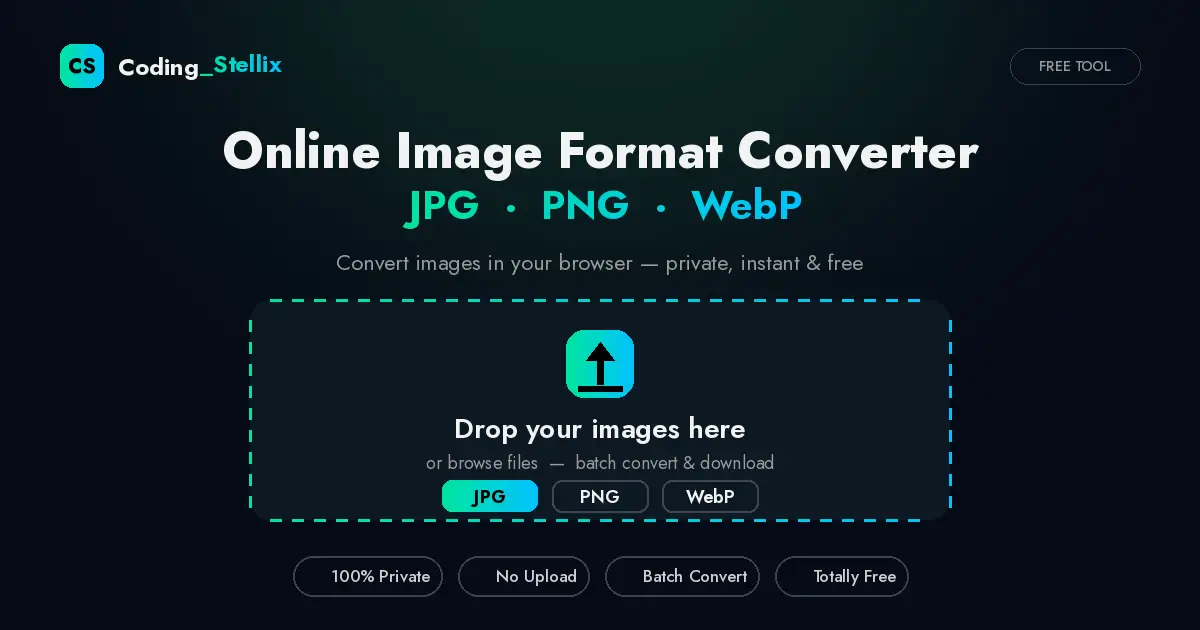
So I built the tool I actually wanted: an online image format converter that does everything inside your own browser. Nothing gets uploaded. There is no server on the other end waiting for your files. The conversion happens on your device, using technology that’s been built into every modern browser for years. When I say your photos never leave your device, that’s not a marketing line — it’s literally how the tool works.
What This Tool Does
The idea is simple. You drop in one or more images, choose the format you want, and download the results. That’s the whole flow. But let me walk you through what’s actually inside.
Three output formats. You can convert to JPG, PNG, or WebP — the three formats that cover almost every real-world need. JPG when you want the smallest file size for photos. PNG when you need lossless quality or transparency. WebP when you’re optimizing images for a website and want modern compression that search engines love.
A quality slider that actually matters. For JPG and WebP, you get a slider from 10% to 100%. This is where the magic happens for file sizes. A photo saved at 80% quality often looks identical to the original to the human eye, but the file can be less than half the size. Play with it — you’ll be surprised how far down you can go before you notice any difference. (For PNG the slider hides itself automatically, because PNG is lossless — quality settings don’t apply to it.)
Batch conversion. Add ten images, add thirty — it doesn’t matter. Hit “Convert All” once and every file in your list gets processed. Each one shows its own download button when it’s done. No limits, no “upgrade to premium for more than 5 files” nonsense.
Before-and-after size comparison. This is my favorite small detail. After converting, every file shows you exactly what happened: the original size, the new size, and the percentage you saved, in green. When you see “2.4 MB → 890 KB (-63%)”, you know precisely what you gained. No guessing.
Drag, drop, browse, or paste. You can drag files straight onto the page, click to browse your folders, or — and a lot of people don’t know tools can do this — simply press Ctrl+V to paste an image from your clipboard. Took a screenshot two seconds ago? Just paste it in.
Smart handling of transparency. Here’s a small technical thing that most converters get wrong. PNG images can have transparent backgrounds; JPG cannot. If you convert a transparent PNG to JPG without thinking, you often end up with an ugly black background. This tool automatically fills transparency with clean white when converting to JPG, so your logos and cutouts come out looking the way you’d expect.
The Privacy Part, Explained Properly
I keep repeating “no upload” because I want you to understand it’s not a slogan. This tool uses the HTML5 Canvas API — a feature that lives inside your browser itself. When you add an image, the browser reads it locally, redraws it on an invisible canvas, and re-encodes it into your chosen format. The output file is created on your device and downloaded from your device.
You could turn off your internet connection after the page loads and the converter would still work perfectly. That’s the test. Any tool that needs your connection to convert an image is sending your files somewhere. This one doesn’t, because there’s nowhere to send them.
Who Is This For?
Honestly, more people than you’d think.
Bloggers and website owners — this one’s for you especially. Image weight is one of the biggest reasons websites load slowly, and slow websites get punished in search rankings. Converting your post images to WebP at around 80% quality is one of the easiest speed wins available, and now you can do it in bulk without installing anything.
Students and office workers who keep running into forms that say “only JPG accepted” or “PNG required, maximum 200 KB.” You know the pain. Drop the file in, adjust the quality until the size fits, download, done.
Designers who need a quick format switch without opening heavy software for a ten-second job.
Anyone on a phone. The whole tool is fully responsive. I tested it on small mobile screens, tablets, and desktops, and the layout adapts properly on all of them — buttons go full-width on phones, the file list rearranges itself, everything stays comfortable to tap.
A Quick Word on Choosing Formats
If you’re ever unsure which format to pick, here’s the short version I use myself:
Photos going on the web or being shared on WhatsApp? JPG, quality around 80–85%. Graphics, logos, screenshots with text, or anything needing transparency? PNG. Images for your own website where loading speed matters? WebP — it usually beats JPG at the same visual quality and every modern browser supports it now.
The Story Behind It
This project is part of what I do at Coding Stellix — building useful, self-contained web tools and sharing how they’re made. Like most of my projects, this entire converter lives in a single HTML file. One file containing all the structure, styling, and logic. No frameworks, no build steps, no dependencies to break a year from now. You could save the page and it would keep working forever.
I gave it a look I’m calling the “Aurora” theme — a deep midnight navy background with a mint-green to cyan gradient running through the buttons, the glow, and the highlights. Dark, calm, and easy on the eyes, because a utility tool shouldn’t shout at you.
Try It Yourself
There’s no catch here. No account, no email, no watermark, no daily limit, no ads. Open the tool, drop your images, convert, download. If it saves you even five minutes this week, it did its job.
And if you build things yourself and you’re curious how browser-based image conversion works under the hood — the Canvas API, toBlob, object URLs, all of it — follow Coding Stellix on YouTube and Instagram (@coding_stellix). I break projects like this one down step by step so you can build your own version.
Got a feature you wish it had — resizing, compression targets, ZIP downloads? Tell me in the comments. The best tools I’ve built started as someone else’s complaint.
Happy converting!
— Coding Stellix
<!DOCTYPE html>
<html lang="en">
<head>
<meta charset="UTF-8">
<meta name="viewport" content="width=device-width, initial-scale=1.0">
<title>Image Converter — Coding Stellix</title>
<meta name="description" content="Free online image format converter by Coding Stellix. Convert JPG, PNG and WebP images instantly in your browser. No upload, 100% private.">
<link rel="preconnect" href="https://fonts.googleapis.com">
<link rel="preconnect" href="https://fonts.gstatic.com" crossorigin>
<link href="https://fonts.googleapis.com/css2?family=Jost:wght@300;400;500;600;700;800&display=swap" rel="stylesheet">
<style>
:root{
  --bg:#060b16;
  --bg2:#0b1220;
  --card:rgba(255,255,255,.04);
  --card-border:rgba(255,255,255,.09);
  --orange:#00e5a0;
  --orange2:#00c2ff;
  --text:#f2f2f2;
  --muted:#9a9a9a;
  --green:#2ecc71;
  --red:#ff4d4d;
  --radius:18px;
}
*{margin:0;padding:0;box-sizing:border-box;font-family:'Jost',sans-serif}
html{scroll-behavior:smooth}
body{background:var(--bg);color:var(--text);min-height:100vh;overflow-x:hidden}

/* ambient glow */
body::before{
  content:"";position:fixed;top:-220px;left:50%;transform:translateX(-50%);
  width:720px;height:520px;border-radius:50%;
  background:radial-gradient(circle,rgba(0,229,160,.16),transparent 65%);
  pointer-events:none;z-index:0;
}

.wrap{position:relative;z-index:1;max-width:980px;margin:0 auto;padding:0 20px 70px}

/* ---------- header ---------- */
header{display:flex;align-items:center;justify-content:space-between;padding:22px 0}
.logo{display:flex;align-items:center;gap:10px;font-weight:700;font-size:1.15rem;letter-spacing:.5px}
.logo .dot{
  width:34px;height:34px;border-radius:10px;display:grid;place-items:center;
  background:linear-gradient(135deg,var(--orange),var(--orange2));
  font-weight:800;color:#000;font-size:1rem;box-shadow:0 0 22px rgba(0,229,160,.45)
}
.logo span b{color:var(--orange)}
.badge{
  font-size:.72rem;letter-spacing:1.5px;text-transform:uppercase;color:var(--muted);
  border:1px solid var(--card-border);padding:6px 14px;border-radius:999px;background:var(--card)
}

/* ---------- hero ---------- */
.hero{text-align:center;padding:38px 0 30px}
.hero h1{font-size:clamp(1.9rem,5.5vw,3.1rem);font-weight:800;line-height:1.12}
.hero h1 em{font-style:normal;background:linear-gradient(90deg,var(--orange),var(--orange2));-webkit-background-clip:text;background-clip:text;color:transparent}
.hero p{color:var(--muted);margin-top:12px;font-size:clamp(.95rem,2.5vw,1.08rem);max-width:560px;margin-inline:auto}
.hero .pills{display:flex;gap:10px;justify-content:center;flex-wrap:wrap;margin-top:18px}
.pill{font-size:.78rem;color:#cfcfcf;border:1px solid var(--card-border);background:var(--card);padding:6px 14px;border-radius:999px}
.pill::before{content:"✓ ";color:var(--green)}

/* ---------- dropzone ---------- */
.drop{
  margin-top:26px;border:2px dashed rgba(0,229,160,.45);border-radius:var(--radius);
  background:linear-gradient(180deg,rgba(0,229,160,.05),rgba(255,255,255,.02));
  padding:52px 24px;text-align:center;cursor:pointer;transition:.25s;
}
.drop:hover,.drop.over{border-color:var(--orange);background:linear-gradient(180deg,rgba(0,229,160,.12),rgba(255,255,255,.03));transform:scale(1.005)}
.drop .icon{
  width:64px;height:64px;margin:0 auto 16px;border-radius:18px;display:grid;place-items:center;
  background:linear-gradient(135deg,var(--orange),var(--orange2));box-shadow:0 10px 34px rgba(0,229,160,.35)
}
.drop .icon svg{width:30px;height:30px;fill:#000}
.drop h2{font-size:1.25rem;font-weight:600}
.drop p{color:var(--muted);font-size:.9rem;margin-top:6px}
.drop .browse{color:var(--orange2);font-weight:600;text-decoration:underline}
#fileInput{display:none}

/* ---------- controls ---------- */
.controls{
  display:none;margin-top:22px;background:var(--card);border:1px solid var(--card-border);
  border-radius:var(--radius);padding:22px;backdrop-filter:blur(12px)
}
.controls.show{display:block;animation:fadeUp .4s ease}
.controls h3{font-size:1rem;font-weight:600;margin-bottom:14px;letter-spacing:.3px}
.fmt-row{display:flex;gap:10px;flex-wrap:wrap}
.fmt{
  flex:1;min-width:90px;text-align:center;padding:13px 10px;border-radius:12px;cursor:pointer;
  border:1px solid var(--card-border);background:rgba(255,255,255,.03);font-weight:600;transition:.2s;user-select:none
}
.fmt small{display:block;font-weight:400;color:var(--muted);font-size:.72rem;margin-top:2px}
.fmt.active{background:linear-gradient(135deg,var(--orange),var(--orange2));color:#000;border-color:transparent;box-shadow:0 8px 26px rgba(0,229,160,.35)}
.fmt.active small{color:rgba(0,0,0,.65)}

.qual{margin-top:20px}
.qual .row{display:flex;justify-content:space-between;align-items:center;margin-bottom:8px}
.qual .val{font-weight:700;color:var(--orange2)}
input[type=range]{width:100%;-webkit-appearance:none;appearance:none;height:6px;border-radius:99px;background:rgba(255,255,255,.12);outline:none}
input[type=range]::-webkit-slider-thumb{-webkit-appearance:none;width:20px;height:20px;border-radius:50%;background:linear-gradient(135deg,var(--orange),var(--orange2));cursor:pointer;box-shadow:0 0 14px rgba(0,229,160,.6)}
input[type=range]::-moz-range-thumb{width:20px;height:20px;border:none;border-radius:50%;background:var(--orange);cursor:pointer}

.actions{display:flex;gap:12px;margin-top:22px;flex-wrap:wrap}
.btn{
  flex:1;min-width:150px;padding:14px 20px;border:none;border-radius:12px;cursor:pointer;
  font-size:.95rem;font-weight:700;letter-spacing:.3px;transition:.2s
}
.btn-primary{background:linear-gradient(135deg,var(--orange),var(--orange2));color:#000;box-shadow:0 10px 30px rgba(0,229,160,.35)}
.btn-primary:hover{transform:translateY(-2px);box-shadow:0 14px 38px rgba(0,229,160,.5)}
.btn-primary:disabled{opacity:.5;cursor:not-allowed;transform:none}
.btn-ghost{background:transparent;color:#ddd;border:1px solid var(--card-border)}
.btn-ghost:hover{border-color:var(--orange);color:var(--orange2)}

/* ---------- file list ---------- */
.files{margin-top:22px;display:none;flex-direction:column;gap:12px}
.files.show{display:flex}
.file{
  display:flex;align-items:center;gap:14px;background:var(--card);border:1px solid var(--card-border);
  border-radius:14px;padding:12px 14px;animation:fadeUp .35s ease
}
.thumb{width:52px;height:52px;border-radius:10px;object-fit:cover;background:#101a2c;flex-shrink:0}
.meta{flex:1;min-width:0}
.meta .name{font-weight:600;font-size:.92rem;white-space:nowrap;overflow:hidden;text-overflow:ellipsis}
.meta .sub{color:var(--muted);font-size:.78rem;margin-top:2px}
.meta .sub .saved{color:var(--green);font-weight:600}
.file .dl{
  padding:9px 16px;border-radius:10px;border:none;cursor:pointer;font-weight:700;font-size:.82rem;
  background:linear-gradient(135deg,var(--orange),var(--orange2));color:#000;flex-shrink:0;transition:.2s
}
.file .dl:hover{transform:translateY(-1px)}
.file .rm{background:none;border:none;color:var(--muted);cursor:pointer;font-size:1.1rem;padding:4px 8px;flex-shrink:0}
.file .rm:hover{color:var(--red)}
.file .status{font-size:.78rem;color:var(--muted);flex-shrink:0}

/* ---------- features ---------- */
.feats{display:grid;grid-template-columns:repeat(auto-fit,minmax(220px,1fr));gap:14px;margin-top:50px}
.feat{background:var(--card);border:1px solid var(--card-border);border-radius:var(--radius);padding:22px;transition:.25s}
.feat:hover{transform:translateY(-4px);border-color:rgba(0,229,160,.4)}
.feat .fi{font-size:1.5rem;margin-bottom:10px}
.feat h4{font-size:1rem;margin-bottom:6px}
.feat p{color:var(--muted);font-size:.85rem;line-height:1.5}

/* ---------- toast ---------- */
.toast{
  position:fixed;bottom:24px;left:50%;transform:translateX(-50%) translateY(80px);
  background:#0d1626;border:1px solid var(--card-border);border-left:3px solid var(--orange);
  padding:13px 22px;border-radius:12px;font-size:.9rem;opacity:0;transition:.35s;z-index:99;max-width:90vw
}
.toast.show{transform:translateX(-50%) translateY(0);opacity:1}

/* ---------- footer ---------- */
footer{text-align:center;margin-top:60px;color:var(--muted);font-size:.85rem}
footer b{color:var(--orange)}

@keyframes fadeUp{from{opacity:0;transform:translateY(12px)}to{opacity:1;transform:translateY(0)}}
@media(prefers-reduced-motion:reduce){*{animation:none!important;transition:none!important}}

@media(max-width:520px){
  .drop{padding:38px 16px}
  .actions .btn{min-width:100%}
  .file{flex-wrap:wrap}
  .file .dl{width:100%}
}
</style>
</head>
<body>
<div class="wrap">

  <header>
    <div class="logo">
      <div class="dot">CS</div>
      <span>Coding<b>_Stellix</b></span>
    </div>
    <div class="badge">Free Tool</div>
  </header>

  <section class="hero">
    <h1>Online <em>Image Converter</em><br>JPG · PNG · WebP</h1>
    <p>Convert images right here in your browser. Nothing is uploaded to any server — your photos never leave your device.</p>
    <div class="pills">
      <span class="pill">100% Private</span>
      <span class="pill">No Upload</span>
      <span class="pill">Batch Convert</span>
      <span class="pill">Totally Free</span>
    </div>
  </section>

  <div class="drop" id="drop" role="button" tabindex="0" aria-label="Add images">
    <div class="icon">
      <svg viewBox="0 0 24 24"><path d="M19 13v6H5v-6H3v6a2 2 0 0 0 2 2h14a2 2 0 0 0 2-2v-6h-2zM11 6.83 8.41 9.41 7 8l5-5 5 5-1.41 1.41L13 6.83V16h-2V6.83z"/></svg>
    </div>
    <h2>Drop your images here</h2>
    <p>or <span class="browse">browse files</span> — JPG, PNG, WebP, GIF, BMP supported</p>
    <input type="file" id="fileInput" accept="image/*" multiple>
  </div>

  <div class="controls" id="controls">
    <h3>Convert to</h3>
    <div class="fmt-row">
      <div class="fmt active" data-fmt="image/jpeg" data-ext="jpg">JPG<small>smallest size</small></div>
      <div class="fmt" data-fmt="image/png" data-ext="png">PNG<small>lossless</small></div>
      <div class="fmt" data-fmt="image/webp" data-ext="webp">WebP<small>modern web</small></div>
    </div>

    <div class="qual" id="qualBox">
      <div class="row">
        <span>Quality</span>
        <span class="val" id="qualVal">90%</span>
      </div>
      <input type="range" id="quality" min="10" max="100" value="90">
    </div>

    <div class="actions">
      <button class="btn btn-primary" id="convertBtn">Convert All</button>
      <button class="btn btn-ghost" id="clearBtn">Clear List</button>
    </div>
  </div>

  <div class="files" id="files"></div>

  <section class="feats">
    <div class="feat"><div class="fi">🔒</div><h4>Private by design</h4><p>Conversion happens with the HTML5 Canvas inside your browser. Your images are never sent anywhere.</p></div>
    <div class="feat"><div class="fi">⚡</div><h4>Instant results</h4><p>No waiting for uploads or queues. Even large photos convert in a second or two.</p></div>
    <div class="feat"><div class="fi">🖼️</div><h4>Batch support</h4><p>Add as many images as you like and convert them all with one click, then download each file.</p></div>
    <div class="feat"><div class="fi">📱</div><h4>Works everywhere</h4><p>Fully responsive — use it on your phone, tablet or desktop with the same smooth experience.</p></div>
  </section>

  <footer>
    Made with ❤️ by <b>Coding Stellix</b> — @coding_stellix
  </footer>
</div>

<div class="toast" id="toast"></div>

<script>
(function(){
  const drop=document.getElementById('drop');
  const input=document.getElementById('fileInput');
  const controls=document.getElementById('controls');
  const filesBox=document.getElementById('files');
  const convertBtn=document.getElementById('convertBtn');
  const clearBtn=document.getElementById('clearBtn');
  const quality=document.getElementById('quality');
  const qualVal=document.getElementById('qualVal');
  const qualBox=document.getElementById('qualBox');
  const toast=document.getElementById('toast');

  let items=[]; // {file, url, row, blobUrl, outName}
  let fmt='image/jpeg', ext='jpg';

  function showToast(msg){
    toast.textContent=msg;
    toast.classList.add('show');
    clearTimeout(toast._t);
    toast._t=setTimeout(()=>toast.classList.remove('show'),2600);
  }

  function fmtSize(b){
    if(b<1024)return b+' B';
    if(b<1048576)return (b/1024).toFixed(1)+' KB';
    return (b/1048576).toFixed(2)+' MB';
  }

  /* ---- format picker ---- */
  document.querySelectorAll('.fmt').forEach(el=>{
    el.addEventListener('click',()=>{
      document.querySelectorAll('.fmt').forEach(f=>f.classList.remove('active'));
      el.classList.add('active');
      fmt=el.dataset.fmt; ext=el.dataset.ext;
      qualBox.style.display = fmt==='image/png' ? 'none' : 'block';
    });
  });

  quality.addEventListener('input',()=>qualVal.textContent=quality.value+'%');

  /* ---- input handlers ---- */
  drop.addEventListener('click',()=>input.click());
  drop.addEventListener('keydown',e=>{if(e.key==='Enter'||e.key===' '){e.preventDefault();input.click();}});
  input.addEventListener('change',()=>{addFiles(input.files);input.value='';});

  ['dragover','dragenter'].forEach(ev=>drop.addEventListener(ev,e=>{e.preventDefault();drop.classList.add('over');}));
  ['dragleave','drop'].forEach(ev=>drop.addEventListener(ev,e=>{e.preventDefault();drop.classList.remove('over');}));
  drop.addEventListener('drop',e=>addFiles(e.dataTransfer.files));

  /* paste support */
  window.addEventListener('paste',e=>{
    const fs=[...(e.clipboardData?.files||[])].filter(f=>f.type.startsWith('image/'));
    if(fs.length)addFiles(fs);
  });

  function addFiles(list){
    const imgs=[...list].filter(f=>f.type.startsWith('image/'));
    if(!imgs.length){showToast('Please choose image files only.');return;}
    imgs.forEach(file=>{
      const url=URL.createObjectURL(file);
      const row=document.createElement('div');
      row.className='file';
      row.innerHTML=`
        <img class="thumb" src="${url}" alt="">
        <div class="meta">
          <div class="name"></div>
          <div class="sub">${fmtSize(file.size)} · ${(file.type.split('/')[1]||'image').toUpperCase()}</div>
        </div>
        <span class="status">Ready</span>
        <button class="rm" title="Remove">✕</button>`;
      row.querySelector('.name').textContent=file.name;
      const item={file,url,row,blobUrl:null,outName:null};
      row.querySelector('.rm').addEventListener('click',()=>{
        URL.revokeObjectURL(url);
        if(item.blobUrl)URL.revokeObjectURL(item.blobUrl);
        items=items.filter(i=>i!==item);
        row.remove();
        if(!items.length){filesBox.classList.remove('show');controls.classList.remove('show');}
      });
      items.push(item);
      filesBox.appendChild(row);
    });
    controls.classList.add('show');
    filesBox.classList.add('show');
    showToast(imgs.length+' image'+(imgs.length>1?'s':'')+' added.');
  }

  /* ---- conversion ---- */
  function convertItem(item){
    return new Promise(resolve=>{
      const img=new Image();
      img.onload=()=>{
        const canvas=document.createElement('canvas');
        canvas.width=img.naturalWidth;
        canvas.height=img.naturalHeight;
        const ctx=canvas.getContext('2d');
        if(fmt==='image/jpeg'){ // white bg for transparency
          ctx.fillStyle='#ffffff';
          ctx.fillRect(0,0,canvas.width,canvas.height);
        }
        ctx.drawImage(img,0,0);
        const q=parseInt(quality.value,10)/100;
        canvas.toBlob(blob=>{
          if(!blob){item.row.querySelector('.status').textContent='Failed';resolve();return;}
          if(item.blobUrl)URL.revokeObjectURL(item.blobUrl);
          item.blobUrl=URL.createObjectURL(blob);
          const base=item.file.name.replace(/\.[^.]+$/,'');
          item.outName=base+'.'+ext;
          const st=item.row.querySelector('.status');
          st.remove();
          const old=item.row.querySelector('.dl');
          if(old)old.remove();
          const pct=Math.round((1-blob.size/item.file.size)*100);
          item.row.querySelector('.sub').innerHTML=
            fmtSize(item.file.size)+' → '+fmtSize(blob.size)+
            (pct>0?` <span class="saved">(-${pct}%)</span>`:'')+
            ' · '+ext.toUpperCase();
          const btn=document.createElement('button');
          btn.className='dl';
          btn.textContent='Download';
          btn.addEventListener('click',()=>{
            const a=document.createElement('a');
            a.href=item.blobUrl;a.download=item.outName;a.click();
          });
          item.row.insertBefore(btn,item.row.querySelector('.rm'));
          resolve();
        },fmt,q);
      };
      img.onerror=()=>{item.row.querySelector('.status')&&(item.row.querySelector('.status').textContent='Failed');resolve();};
      img.src=item.url;
    });
  }

  convertBtn.addEventListener('click',async()=>{
    if(!items.length){showToast('Add some images first.');return;}
    convertBtn.disabled=true;
    convertBtn.textContent='Converting…';
    for(const it of items){
      const st=it.row.querySelector('.status');
      if(st)st.textContent='Converting…';
      await convertItem(it);
    }
    convertBtn.disabled=false;
    convertBtn.textContent='Convert All';
    showToast('Done! Tap Download on each file.');
  });

  clearBtn.addEventListener('click',()=>{
    items.forEach(i=>{URL.revokeObjectURL(i.url);if(i.blobUrl)URL.revokeObjectURL(i.blobUrl);});
    items=[];
    filesBox.innerHTML='';
    filesBox.classList.remove('show');
    controls.classList.remove('show');
  });
})();
</script>
</body>
</html>