
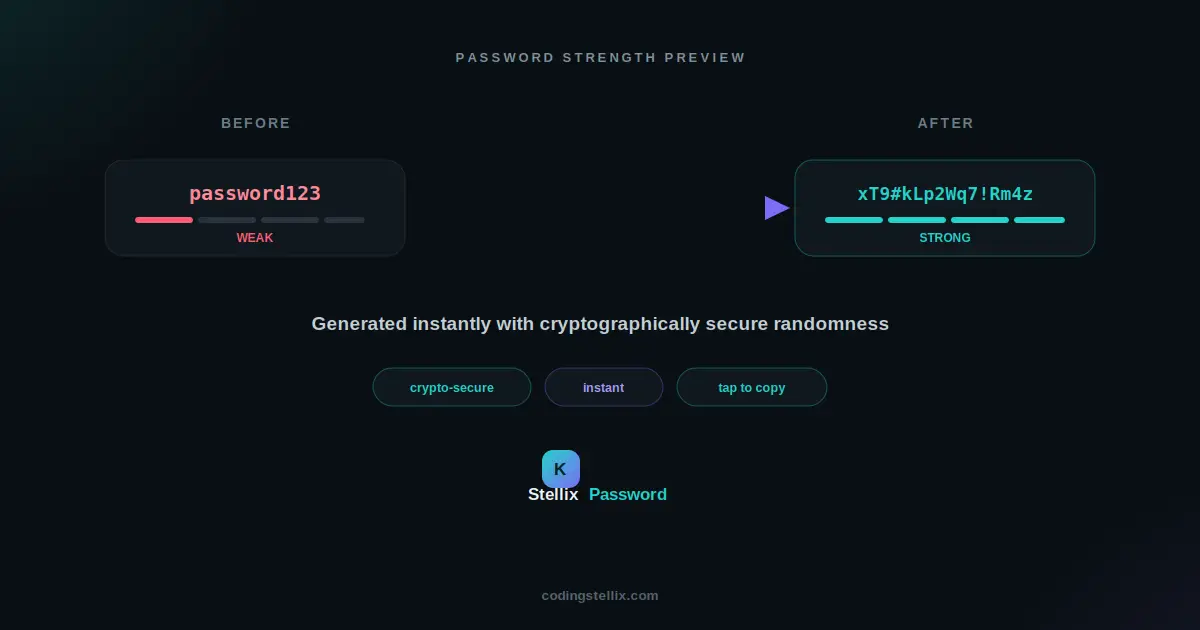
Almost every account online eventually asks for a password, and almost everyone reuses the same handful of weak ones out of pure fatigue. The fix that security professionals actually recommend — a long, fully random password generated fresh for every account — sounds simple until you try to build the tool yourself and realize there’s a wrong way to do it that looks identical to the right way. This walkthrough covers how to build a proper password generator in plain JavaScript, along with the one detail that separates a genuinely secure version from one that only looks secure.
The Mistake Almost Every Tutorial Makes
If you search for “how to generate a random password in JavaScript,” the overwhelming majority of examples reach for Math.random(). It’s built into every browser, it’s easy to use, and it produces numbers that look perfectly random to the human eye. The problem is that Math.random() was never designed to be unpredictable in a security sense — it’s a fast, general-purpose random number generator meant for things like shuffling an array or picking a random background color, not for anything where an attacker might have a reason to guess the output.
Modern browsers give you a proper alternative: the Web Crypto API, specifically a function called crypto.getRandomValues(). This pulls from the same operating-system-level randomness source used for things like generating encryption keys, and it’s specifically built to be unpredictable even to someone who knows exactly how the generator works. For a password generator, this is the only function that should ever be touching the actual character selection.
Building the Character Pools
A password generator needs a few pools of characters to draw from — typically uppercase letters, lowercase letters, numbers, and symbols — plus a way to let the person choose which pools to include. One small refinement worth adding here: leaving out visually similar characters like the number zero and the capital letter O, or the lowercase L and the capital I, since these cause real friction when someone actually has to type the password by hand later, even though they don’t affect security either way.
Once the pools are defined, the generator needs to combine whichever ones the user has selected into one larger pool to draw from, while also making sure the final password actually contains at least one character from every pool that was checked. Skipping that step can technically produce a twenty-character password made entirely of numbers if the random draws happen to land that way, which defeats the purpose of offering the toggles at all.
Guaranteeing Variety Without Making the Result Predictable
The standard approach is to pick one character from each selected pool first, guaranteeing that every required category is represented, and then fill the remaining length by drawing randomly from the combined pool of everything selected. At that point, though, the password would always have its guaranteed characters sitting in predictable positions — the first however-many characters, followed by random filler. That pattern itself becomes a small weakness if left as-is.
The fix is a shuffle step at the end, run after the whole password has been assembled. A proper shuffle algorithm, run using the same secure random source as everything else, mixes the guaranteed characters in among the rest so there’s no detectable pattern to where they landed. This is a small step that’s easy to skip, and skipping it is exactly the kind of subtle flaw that makes a password generator look secure without actually being as strong as it appears.
Scoring the Result With a Strength Meter
A generator is more trustworthy when it shows its work, and a live strength indicator does exactly that. A reasonable scoring approach looks at several signals together: whether the password reaches a minimum length, whether it reaches a longer, more comfortable length, whether it mixes uppercase and lowercase letters, whether it includes numbers, and whether it includes symbols. Each signal present adds to a running score, which then maps onto a small number of strength levels — weak, fair, good, strong — each with their own color, so the feedback is instantly readable rather than requiring the person to interpret a raw number.
It’s worth being upfront about what this kind of meter actually measures: it’s a rough guide to password composition, not a guarantee of real-world unguessability. A password can technically satisfy every box on this checklist and still be memorable enough that a determined attacker gets there eventually. For genuinely important accounts, length matters more than almost anything else — a fully random 16-character password beats an 8-character password that merely checks every composition box.
Making It Actually Usable
None of the security work matters much if the tool is awkward to use, so a few small usability details carry real weight. A one-click copy button removes the friction of manually selecting and copying a long jumble of characters. A short-lived history of the last several generated passwords, kept only in memory for that browsing session and cleared the moment the page is closed or refreshed, makes it easy to grab a password that was generated a moment ago without needing to recreate the exact same settings from scratch.
A monospaced font for displaying the password itself is a small but meaningful choice — proportional fonts render certain character pairs almost identically, and monospace fonts keep every character visually distinct, which matters when someone is double-checking a password character by character before typing it somewhere.
Why This All Runs Client-Side
Every part of this generator — the random number source, the character selection, the strength scoring, even the clipboard copy — happens entirely inside the browser, with nothing ever transmitted anywhere. That’s not just a performance choice. A password generator that quietly sent its output to a server, even for logging or analytics purposes, would be a serious problem regardless of how well-intentioned the logging was. The entire point of generating a password locally is that nobody else, including the tool that generated it, ever has a copy of it in transit.
The finished tool is a single self-contained HTML file — open it, generate a few passwords, and look through the code to see exactly how the character pools, the guaranteed-variety logic, and the secure shuffle fit together. Every piece of it can be copied directly into another project that needs the same kind of trustworthy randomness.
<!DOCTYPE html>
<html lang="en" data-theme="dark">
<head>
<meta charset="UTF-8">
<meta name="viewport" content="width=device-width, initial-scale=1.0">
<title>Stellix Password — Secure Password Generator | Coding Stellix</title>
<link rel="preconnect" href="https://fonts.googleapis.com">
<link rel="preconnect" href="https://fonts.gstatic.com" crossorigin>
<link href="https://fonts.googleapis.com/css2?family=Jost:wght@300;400;500;600;700;800&family=JetBrains+Mono:wght@500;700&display=swap" rel="stylesheet">
<style>
  :root{
    --bg:#0a0f14;
    --bg-soft:#101820;
    --card:rgba(255,255,255,.05);
    --card-border:rgba(255,255,255,.1);
    --text:#eef4f7;
    --muted:#8598a3;
    --brand:#22d3c8;
    --brand-soft:#7c6bf5;
    --glow:rgba(34,211,200,.28);
    --input-bg:rgba(255,255,255,.06);
    --weak:#ff5c72;
    --fair:#ffb020;
    --good:#a3e635;
    --strong:#22d3c8;
    --shadow:0 24px 70px rgba(0,0,0,.55);
  }
  [data-theme="light"]{
    --bg:#f2f7f8;
    --bg-soft:#ffffff;
    --card:rgba(255,255,255,.8);
    --card-border:rgba(10,30,35,.1);
    --text:#0d1a1f;
    --muted:#57707a;
    --glow:rgba(34,211,200,.2);
    --input-bg:rgba(10,30,35,.05);
    --shadow:0 20px 55px rgba(10,60,60,.14);
  }
  *{margin:0;padding:0;box-sizing:border-box;-webkit-tap-highlight-color:transparent}
  body{
    font-family:'Jost',sans-serif;
    background:var(--bg);color:var(--text);
    min-height:100vh;overflow-x:hidden;
    transition:background .45s,color .45s;
  }
  body::before{
    content:"";position:fixed;inset:0;pointer-events:none;z-index:0;
    background:
      radial-gradient(650px 450px at 92% -10%,var(--glow),transparent 65%),
      radial-gradient(550px 420px at -12% 108%,rgba(124,107,245,.18),transparent 60%);
  }
  .wrap{position:relative;z-index:1;max-width:640px;margin:0 auto;padding:0 18px}

  header{display:flex;align-items:center;justify-content:space-between;padding:20px 0}
  .logo{display:flex;align-items:center;gap:11px;user-select:none}
  .logo-mark{
    width:42px;height:42px;border-radius:13px;
    background:linear-gradient(135deg,var(--brand),var(--brand-soft));
    display:grid;place-items:center;color:#04211f;font-size:1.2rem;font-weight:800;
    box-shadow:0 6px 22px var(--glow);
  }
  .logo-name{font-weight:700;font-size:1.2rem}
  .logo-name span{color:var(--brand)}
  .logo small{display:block;font-size:.6rem;letter-spacing:2.6px;text-transform:uppercase;color:var(--muted);font-weight:500}
  #themeBtn{
    width:44px;height:44px;border-radius:50%;cursor:pointer;
    border:1px solid var(--card-border);background:var(--card);color:var(--text);
    font-size:1.12rem;backdrop-filter:blur(10px);
    display:grid;place-items:center;transition:transform .3s,box-shadow .3s;
  }
  #themeBtn:hover{transform:rotate(18deg) scale(1.08);box-shadow:0 0 20px var(--glow)}
  #themeBtn:focus-visible{outline:2px solid var(--brand);outline-offset:3px}

  .hero{text-align:center;padding:14px 0 6px;animation:rise .7s ease both}
  .hero h1{font-size:clamp(1.9rem,5.2vw,2.9rem);font-weight:800;letter-spacing:-.5px;line-height:1.15}
  .hero h1 em{
    font-style:normal;
    background:linear-gradient(120deg,var(--brand),var(--brand-soft));
    -webkit-background-clip:text;background-clip:text;color:transparent;
  }
  .hero p{color:var(--muted);margin-top:8px;font-size:1rem}

  .panel{
    background:var(--card);border:1px solid var(--card-border);
    border-radius:26px;padding:26px;margin-top:22px;
    backdrop-filter:blur(14px);box-shadow:var(--shadow);
    animation:rise .7s .08s ease both;
  }

  .pw-display{
    display:flex;align-items:center;gap:10px;
    background:var(--input-bg);border:1px solid var(--card-border);
    border-radius:16px;padding:16px 18px;margin-bottom:14px;
  }
  #pwOutput{
    flex:1;font-family:'JetBrains Mono',monospace;font-size:1.15rem;font-weight:500;
    background:none;border:none;outline:none;color:var(--text);
    min-width:0;letter-spacing:.5px;
  }
  .pw-actions{display:flex;gap:6px;flex-shrink:0}
  .icon-btn{
    width:38px;height:38px;border-radius:11px;border:none;cursor:pointer;
    background:var(--card);color:var(--text);font-size:1rem;
    display:grid;place-items:center;transition:transform .2s,background .2s;
  }
  .icon-btn:hover{transform:translateY(-2px);background:var(--input-bg)}
  .icon-btn:focus-visible{outline:2px solid var(--brand);outline-offset:2px}

  .strength-row{margin-bottom:22px}
  .strength-bar{display:flex;gap:5px;margin-bottom:8px}
  .strength-bar div{flex:1;height:6px;border-radius:99px;background:var(--card-border);transition:background .3s}
  .strength-label{display:flex;justify-content:space-between;font-size:.82rem;font-weight:600;color:var(--muted)}
  .strength-label span:last-child{font-weight:700}

  .field{margin-bottom:18px}
  .field-top{display:flex;justify-content:space-between;align-items:center;margin-bottom:10px}
  .field-top label{font-size:.85rem;font-weight:600;color:var(--muted)}
  .field-top .num{color:var(--brand);font-weight:700}
  input[type=range]{width:100%;accent-color:var(--brand);cursor:pointer}

  .toggles{display:grid;grid-template-columns:1fr 1fr;gap:10px;margin-bottom:22px}
  .toggle{
    display:flex;align-items:center;gap:10px;
    background:var(--input-bg);border:1px solid var(--card-border);border-radius:13px;
    padding:12px 14px;cursor:pointer;transition:border-color .2s;
  }
  .toggle:has(input:checked){border-color:var(--brand)}
  .toggle input{accent-color:var(--brand);width:18px;height:18px;cursor:pointer}
  .toggle span{font-size:.86rem;font-weight:600}

  .generate-btn{
    width:100%;font-family:inherit;font-weight:800;font-size:1.02rem;
    padding:16px;border-radius:16px;border:none;cursor:pointer;
    background:linear-gradient(135deg,var(--brand),var(--brand-soft));
    color:#04211f;box-shadow:0 10px 28px var(--glow);
    transition:transform .25s;
  }
  .generate-btn:hover{transform:translateY(-2px)}
  .generate-btn:focus-visible{outline:2px solid var(--text);outline-offset:2px}

  #msg{margin-top:12px;font-size:.83rem;color:var(--muted);text-align:center;min-height:18px}

  .history-panel{margin-top:16px;animation:rise .7s .14s ease both}
  .history-panel h3{font-size:.75rem;font-weight:700;letter-spacing:2px;text-transform:uppercase;color:var(--muted);margin-bottom:10px}
  .history-item{
    display:flex;align-items:center;justify-content:space-between;gap:10px;
    background:var(--card);border:1px solid var(--card-border);border-radius:12px;
    padding:10px 14px;margin-bottom:8px;backdrop-filter:blur(10px);
  }
  .history-item span{font-family:'JetBrains Mono',monospace;font-size:.86rem;overflow:hidden;text-overflow:ellipsis;white-space:nowrap;flex:1}
  .history-item button{background:none;border:none;color:var(--muted);cursor:pointer;font-size:.9rem}
  .history-item button:hover{color:var(--brand)}
  .empty-history{text-align:center;color:var(--muted);font-size:.85rem;padding:10px 0}

  footer{text-align:center;padding:26px 0 36px;color:var(--muted);font-size:.86rem}
  footer b{color:var(--brand)}

  @keyframes rise{from{opacity:0;transform:translateY(20px)}to{opacity:1;transform:none}}
  @media(max-width:480px){
    .panel{padding:20px 16px}
    .toggles{grid-template-columns:1fr}
    #pwOutput{font-size:1rem}
  }
  @media (prefers-reduced-motion: reduce){
    *,*::before,*::after{animation-duration:.01ms!important;transition-duration:.01ms!important}
  }
</style>
</head>
<body>
<div class="wrap">

  <header>
    <div class="logo">
      <div class="logo-mark">⚷</div>
      <div>
        <div class="logo-name">Stellix <span>Password</span></div>
        <small>by Coding Stellix</small>
      </div>
    </div>
    <button id="themeBtn" aria-label="Toggle light and dark mode" title="Toggle theme">🌙</button>
  </header>

  <section class="hero">
    <h1>Generate a <em>secure password</em> instantly</h1>
    <p>Fully random, customizable, and generated right in your browser — nothing sent anywhere.</p>
  </section>

  <div class="panel">
    <div class="pw-display">
      <input type="text" id="pwOutput" readonly value="">
      <div class="pw-actions">
        <button class="icon-btn" id="copyBtn" title="Copy" aria-label="Copy password">⧉</button>
        <button class="icon-btn" id="refreshBtn" title="Generate new" aria-label="Generate new password">↻</button>
      </div>
    </div>

    <div class="strength-row">
      <div class="strength-bar">
        <div id="bar1"></div><div id="bar2"></div><div id="bar3"></div><div id="bar4"></div>
      </div>
      <div class="strength-label">
        <span>Strength</span>
        <span id="strengthText">—</span>
      </div>
    </div>

    <div class="field">
      <div class="field-top">
        <label for="lengthSlider">Password Length</label>
        <span class="num" id="lengthVal">16</span>
      </div>
      <input type="range" id="lengthSlider" min="6" max="32" value="16">
    </div>

    <div class="toggles">
      <label class="toggle"><input type="checkbox" id="optUpper" checked><span>ABC — Uppercase</span></label>
      <label class="toggle"><input type="checkbox" id="optLower" checked><span>abc — Lowercase</span></label>
      <label class="toggle"><input type="checkbox" id="optNumbers" checked><span>123 — Numbers</span></label>
      <label class="toggle"><input type="checkbox" id="optSymbols" checked><span>#$% — Symbols</span></label>
    </div>

    <button class="generate-btn" id="generateBtn">⚡ Generate New Password</button>
    <div id="msg"></div>
  </div>

  <div class="history-panel">
    <h3>Recent Passwords</h3>
    <div id="historyList"><div class="empty-history">Generated passwords will appear here for this session</div></div>
  </div>

  <footer>Crafted with 🧡 by <b>Coding Stellix</b> — Stellix Password v1.0</footer>
</div>

<script>
// ============================================================
//  Stellix Password v1.0 — Secure Password Generator
//  Uses crypto.getRandomValues for cryptographically strong randomness.
//  Crafted by Coding Stellix (coding_stellix)
// ============================================================
(function(){
  "use strict";
  var $ = function(id){ return document.getElementById(id); };

  var UPPER = "ABCDEFGHJKLMNPQRSTUVWXYZ";
  var LOWER = "abcdefghijkmnpqrstuvwxyz";
  var NUMS = "23456789";
  var SYMS = "!@#$%^&*()-_=+[]{}<>?";

  var history = [];

  function secureRandomInt(max){
    var arr = new Uint32Array(1);
    crypto.getRandomValues(arr);
    return arr[0] % max;
  }

  function generatePassword(){
    var length = parseInt($("lengthSlider").value, 10);
    var useUpper = $("optUpper").checked;
    var useLower = $("optLower").checked;
    var useNums = $("optNumbers").checked;
    var useSyms = $("optSymbols").checked;

    var pools = [];
    if(useUpper) pools.push(UPPER);
    if(useLower) pools.push(LOWER);
    if(useNums) pools.push(NUMS);
    if(useSyms) pools.push(SYMS);

    if(pools.length === 0){
      $("optLower").checked = true;
      pools.push(LOWER);
    }

    var all = pools.join("");
    var result = [];

    pools.forEach(function(pool){
      result.push(pool[secureRandomInt(pool.length)]);
    });
    while(result.length < length){
      result.push(all[secureRandomInt(all.length)]);
    }
    for(var i = result.length - 1; i > 0; i--){
      var j = secureRandomInt(i + 1);
      var tmp = result[i]; result[i] = result[j]; result[j] = tmp;
    }
    return result.slice(0, length).join("");
  }

  function scorePassword(pw){
    var score = 0;
    if(pw.length >= 8) score++;
    if(pw.length >= 14) score++;
    if(/[A-Z]/.test(pw) && /[a-z]/.test(pw)) score++;
    if(/[0-9]/.test(pw)) score++;
    if(/[^A-Za-z0-9]/.test(pw)) score++;
    return Math.min(score, 4);
  }

  var LEVELS = [
    { text: "Weak", color: "var(--weak)" },
    { text: "Fair", color: "var(--fair)" },
    { text: "Good", color: "var(--good)" },
    { text: "Strong", color: "var(--strong)" }
  ];

  function updateStrength(pw){
    var score = scorePassword(pw);
    var level = LEVELS[Math.max(score - 1, 0)];
    ["bar1","bar2","bar3","bar4"].forEach(function(id, idx){
      $(id).style.background = idx < score ? level.color : "var(--card-border)";
    });
    $("strengthText").textContent = level.text;
    $("strengthText").style.color = level.color;
  }

  function addToHistory(pw){
    history.unshift(pw);
    if(history.length > 5) history.pop();
    renderHistory();
  }

  function renderHistory(){
    var list = $("historyList");
    if(history.length === 0){
      list.innerHTML = '<div class="empty-history">Generated passwords will appear here for this session</div>';
      return;
    }
    list.innerHTML = "";
    history.forEach(function(pw){
      var item = document.createElement("div");
      item.className = "history-item";
      var span = document.createElement("span");
      span.textContent = pw;
      var btn = document.createElement("button");
      btn.textContent = "⧉";
      btn.setAttribute("aria-label", "Copy this password");
      btn.addEventListener("click", function(){ copyText(pw); flashMsg("📋 Copied from history!"); });
      item.appendChild(span); item.appendChild(btn);
      list.appendChild(item);
    });
  }

  function newPassword(){
    var pw = generatePassword();
    $("pwOutput").value = pw;
    updateStrength(pw);
    addToHistory(pw);
  }

  function copyText(str){
    if(navigator.clipboard && navigator.clipboard.writeText){
      navigator.clipboard.writeText(str).catch(function(){ fallbackCopy(str); });
    } else { fallbackCopy(str); }
  }
  function fallbackCopy(str){
    var ta = document.createElement("textarea");
    ta.value = str; ta.style.position = "fixed"; ta.style.opacity = "0";
    document.body.appendChild(ta); ta.select();
    try { document.execCommand("copy"); } catch(e){}
    document.body.removeChild(ta);
  }

  var msgTimer = null;
  function flashMsg(text){
    $("msg").textContent = text;
    clearTimeout(msgTimer);
    msgTimer = setTimeout(function(){ $("msg").textContent = ""; }, 2200);
  }

  $("lengthSlider").addEventListener("input", function(){
    $("lengthVal").textContent = this.value;
    newPassword();
  });
  [$("optUpper"), $("optLower"), $("optNumbers"), $("optSymbols")].forEach(function(el){
    el.addEventListener("change", newPassword);
  });
  $("generateBtn").addEventListener("click", newPassword);
  $("refreshBtn").addEventListener("click", newPassword);
  $("copyBtn").addEventListener("click", function(){
    var val = $("pwOutput").value;
    if(!val) return;
    copyText(val);
    flashMsg("📋 Password copied to clipboard!");
  });

  var themeBtn = $("themeBtn");
  themeBtn.addEventListener("click", function(){
    var html = document.documentElement;
    var next = html.getAttribute("data-theme") === "dark" ? "light" : "dark";
    html.setAttribute("data-theme", next);
    themeBtn.textContent = next === "dark" ? "🌙" : "☀️";
  });

  newPassword();
})();
</script>
</body>
</html>