
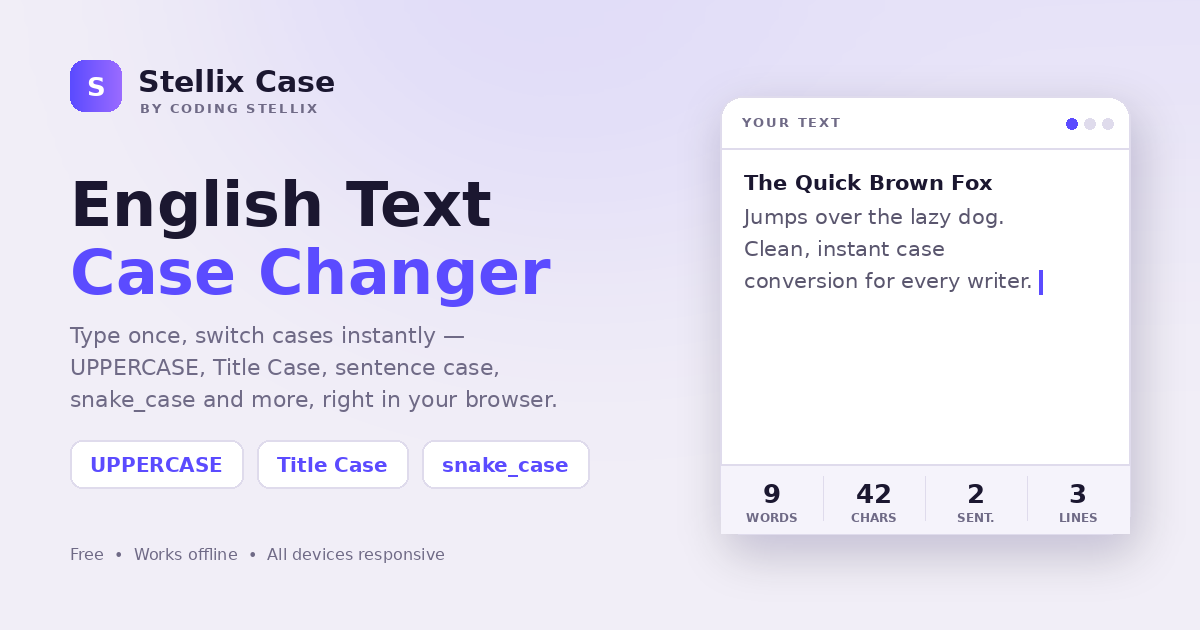
Every writer has met this small, annoying problem. You paste a sentence and half of it is screaming in capitals. You copy a heading from somewhere and it comes back in all lowercase. You are typing a caption for a reel and you want that playful aLtErNaTiNg look, but doing it by hand takes forever. None of these are big problems on their own. Together, though, they steal a surprising amount of time from your day.
That is exactly the itch I set out to scratch when I built Stellix Case. It is a clean, no-nonsense English text case changer that lives entirely in your browser. You type or paste your text once, tap the case you want, and the tool rewrites it in a blink. No sign-up, no ads, no waiting. Just you and your words.
In this post I want to walk you through what Stellix Case does, who it is really for, and the thinking behind some of the choices I made while building it.
What Stellix Case actually does
At its heart, Stellix Case takes whatever text you give it and reshapes the capitalisation. There is a large writing area at the top where you drop your text, and right below it a row of live counters that track your words, characters, sentences and lines as you type. Underneath that sits a grid of case options. Each one has a tiny preview built into the button, so you can see the result before you even tap it.
Here are the nine conversions it offers:
- UPPERCASE — turns every letter into a capital. Good for shouty headlines and warning labels.
- lowercase — pulls everything down to small letters. Handy when someone left caps lock on.
- Capitalize Each Word — puts a capital at the start of every single word.
- Title Case — the smart one. It capitalises the important words but keeps small joining words like a, the, of, and, in lowercase, unless they are the first or last word. This is the case you want for real headings and titles.
- Sentence case — capitalises only the first letter of each sentence, and it is clever enough to fix a lonely “i” into “I” automatically.
- aLtErNaTiNg — flips between small and capital letters for that mocking, meme-friendly style.
- iNVERSE cASE — swaps every letter’s case, so capitals become small and small become capital.
- snake_case — lowercases everything and joins words with underscores. A favourite among programmers.
- kebab-case — same idea, but joined with hyphens, which is perfect for clean web links and file names.
Once your text looks the way you want, three buttons finish the job. Copy drops the result straight onto your clipboard, Download .txt saves it as a text file, and Clear wipes the slate so you can start fresh.
Who I built this for
I am a teacher first, and a lot of my week is spent preparing worksheets, notices and lesson material. When you write that much, tiny formatting chores add up. A student pastes an answer in full capitals. A heading needs to be tidied. A list of terms has to be turned into consistent title case. Stellix Case handles all of that in seconds, which means I spend more time on the actual teaching and less on cleaning up text.
But teachers are only one group. The more I used it, the clearer it became that this tool helps almost anyone who touches a keyboard.
Content creators and social media managers live in captions and titles. If you post reels, threads or videos, you already know how much a well-cased title changes the feel of a post. The alternating and inverse styles are made for exactly the kind of playful captions that stop a thumb from scrolling.
Students get a quick way to fix essays and assignments before submitting. Sentence case alone saves a lot of embarrassment when notes were typed in a hurry.
Developers get the tools they actually reach for. snake_case and kebab-case are part of daily coding life, whether you are naming a variable, a file or a URL slug. Having them one tap away is genuinely useful.
Office workers deal with messy pasted text all the time — emails, spreadsheets, reports. A fast case fix keeps documents looking consistent and professional.
The small design decisions that matter
I care a lot about how a tool feels, not just what it does. A few choices were deliberate.
The first is speed and privacy. Stellix Case is a single self-contained web page. Everything happens on your own device, in your own browser. Your text is never sent to any server, which means it is private by default and it keeps working even when your internet drops. You could open it on a train with no signal and it would still convert everything instantly.
The second is the live preview on every button. It is a tiny thing, but showing “The Quick Brown Fox” styled in each case removes all the guesswork. You are never surprised by the output, because you saw a sample of it first.
The third is the live statistics strip. Word and character counts are useful far beyond case changing. If you are writing a caption with a character limit, or an assignment with a word target, you get that feedback without opening a separate counter.
A fresh new look
Stellix Case first launched with a dark interface, but I recently gave it a full redesign into a lighter, calmer theme. The background is now a soft lavender-white, the cards are clean white, and the whole thing is anchored by an electric indigo-to-violet accent. Reading long passages in bright daylight is easier now, and the brighter palette feels friendlier and more modern. The bones of the tool did not change at all — only the skin — but the new colours make it a much nicer place to spend a few minutes tidying your text.
Built to work everywhere
I designed Stellix Case to be genuinely responsive, not just technically responsive. On a wide desktop screen the case options spread across three neat columns and the writing area is roomy. On a tablet the grid folds to two columns. On a phone it stacks into a single, thumb-friendly column, and even the statistics rearrange themselves so nothing feels cramped. Whatever device you open it on, the layout adjusts to fit comfortably.
It also respects the small accessibility details that quietly make software better: clear keyboard focus outlines, readable contrast, and reduced-motion support for anyone who prefers calmer interfaces.
Try it and make it part of your routine
The best tools are the ones you stop thinking about because they simply work. My hope is that Stellix Case becomes one of those for you — a little tab you keep open, reach for a dozen times a day, and never have to fight with.
It is free, it is fast, it works offline, and it fits in your pocket as easily as it fits on your desk. Open it, paste some text, and tap a case. That is the whole experience, and that was always the point.
Stellix Case is one of many small, useful tools I am building under the Coding Stellix banner. If this one saves you time, there is plenty more on the way.
<!DOCTYPE html>
<html lang="en">
<head>
<meta charset="UTF-8">
<meta name="viewport" content="width=device-width, initial-scale=1.0, viewport-fit=cover">
<meta name="color-scheme" content="light">
<title>Stellix Case — English Text Case Changer by Coding Stellix</title>
<meta name="description" content="Stellix Case by Coding Stellix — convert English text to uppercase, lowercase, title case, sentence case, and more. Live word count, copy, and download. All-device responsive.">
<link rel="preconnect" href="https://fonts.googleapis.com">
<link rel="preconnect" href="https://fonts.gstatic.com" crossorigin>
<link href="https://fonts.googleapis.com/css2?family=Unbounded:wght@400;600;800&family=Jost:wght@400;500;600;700&display=swap" rel="stylesheet">
<style>
  :root{
    color-scheme: light;
    --bg:#f1eef7;
    --panel:#ffffff;
    --panel-2:#f4f2fb;
    --line:rgba(35,25,70,.10);
    --text:#1b1730;
    --muted:#6f6a86;
    --brand:#5b4bff;
    --brand-2:#9a6bff;
    --r:14px;
  }
  *{margin:0;padding:0;box-sizing:border-box;-webkit-tap-highlight-color:transparent}
  html{scroll-behavior:smooth}
  body{
    font-family:'Jost',sans-serif;
    background:var(--bg);
    color:var(--text);
    min-height:100dvh;
    line-height:1.5;
    background-image:
      radial-gradient(65% 48% at 50% -8%, rgba(91,75,255,.16), transparent 62%),
      radial-gradient(50% 40% at 100% 0%, rgba(154,107,255,.12), transparent 60%);
  }

  .wrap{max-width:920px;margin:0 auto;padding:22px 18px calc(40px + env(safe-area-inset-bottom))}

  /* ---------- header ---------- */
  header{display:flex;align-items:center;gap:12px;margin-bottom:26px;flex-wrap:wrap}
  .logo{display:flex;align-items:center;gap:11px}
  .logo-mark{
    width:38px;height:38px;border-radius:11px;flex:none;
    background:linear-gradient(135deg,var(--brand),var(--brand-2));
    display:grid;place-items:center;
    font-family:'Unbounded',sans-serif;font-weight:800;font-size:16px;color:#0b0b0e;
    box-shadow:0 4px 20px rgba(91,75,255,.38);
  }
  .logo-text b{font-family:'Unbounded',sans-serif;font-weight:600;font-size:16px;display:block;line-height:1.05;color:var(--text)}
  .logo-text span{font-size:11px;color:var(--muted);letter-spacing:.16em;text-transform:uppercase}
  .spacer{flex:1}
  .tagline{font-size:13px;color:var(--muted);text-align:right;max-width:220px}
  @media (max-width:560px){ .tagline{display:none} }

  /* ---------- editor ---------- */
  .editor{
    background:var(--panel);
    border:1px solid var(--line);
    border-radius:20px;
    overflow:hidden;
    box-shadow:0 24px 60px rgba(60,45,130,.14);
  }
  .editor-head{
    display:flex;align-items:center;justify-content:space-between;
    padding:12px 16px;border-bottom:1px solid var(--line);
    font-size:12px;font-weight:600;letter-spacing:.14em;text-transform:uppercase;color:var(--muted);
  }
  .editor-head .dots{display:flex;gap:6px}
  .editor-head .dots i{width:10px;height:10px;border-radius:50%;background:var(--panel-2)}
  .editor-head .dots i:first-child{background:var(--brand)}

  textarea{
    width:100%;
    min-height:230px;
    resize:vertical;
    border:none;outline:none;
    background:transparent;
    color:var(--text);
    font-family:'Jost',sans-serif;
    font-size:17px;line-height:1.7;
    padding:18px 18px;
    display:block;
  }
  textarea::placeholder{color:#b3aec9}

  /* ---------- stats ---------- */
  .stats{
    display:grid;grid-template-columns:repeat(4,1fr);
    border-top:1px solid var(--line);
    background:rgba(91,75,255,.05);
  }
  .stat{padding:13px 10px;text-align:center;border-right:1px solid var(--line)}
  .stat:last-child{border-right:none}
  .stat b{font-family:'Unbounded',sans-serif;font-weight:600;font-size:19px;display:block;color:var(--text)}
  .stat span{font-size:10.5px;color:var(--muted);letter-spacing:.14em;text-transform:uppercase}
  @media (max-width:460px){
    .stats{grid-template-columns:repeat(2,1fr)}
    .stat:nth-child(2){border-right:none}
    .stat:nth-child(1),.stat:nth-child(2){border-bottom:1px solid var(--line)}
  }

  /* ---------- case buttons ---------- */
  .section-label{
    font-size:12px;font-weight:600;letter-spacing:.16em;text-transform:uppercase;color:var(--muted);
    margin:28px 2px 12px;
  }
  .cases{display:grid;grid-template-columns:repeat(3,1fr);gap:10px}
  @media (max-width:640px){ .cases{grid-template-columns:repeat(2,1fr)} }
  @media (max-width:380px){ .cases{grid-template-columns:1fr} }

  .case-btn{
    font-family:'Jost',sans-serif;
    text-align:left;
    background:var(--panel);
    color:var(--text);
    border:1px solid var(--line);
    border-radius:var(--r);
    padding:13px 15px;
    cursor:pointer;
    transition:background .16s ease,border-color .16s ease,transform .12s ease;
    outline-offset:2px;
    -webkit-appearance:none;
    appearance:none;
  }
  .case-btn:hover,
  .case-btn:focus-visible{
    background:var(--panel-2);
    border-color:rgba(91,75,255,.45);
    color:var(--text);
  }
  .case-btn:active{transform:scale(.98)}
  .case-btn b{display:block;font-size:14.5px;font-weight:600;color:var(--text)}
  .case-btn em{display:block;font-style:normal;font-size:12px;color:var(--muted);margin-top:3px;font-family:'Jost',sans-serif}
  .case-btn:hover b,.case-btn:hover em{color:var(--text)}
  .case-btn:hover em{color:var(--muted)}

  /* ---------- actions ---------- */
  .actions{display:flex;gap:10px;flex-wrap:wrap;margin-top:22px}
  .btn{
    font-family:'Jost',sans-serif;font-size:14px;font-weight:600;
    border:1px solid var(--line);background:var(--panel);color:var(--text);
    border-radius:var(--r);padding:12px 18px;cursor:pointer;
    display:inline-flex;align-items:center;gap:9px;
    transition:background .16s ease,transform .12s ease;outline-offset:2px;
    -webkit-appearance:none;
    appearance:none;
  }
  .btn:hover,
  .btn:focus-visible{
    background:var(--panel-2);
    color:var(--text);
  }
  .btn:active{transform:scale(.97)}
  .btn svg{width:16px;height:16px;flex:none;color:var(--text)}
  .btn-primary{
    background:linear-gradient(135deg,var(--brand),var(--brand-2));border:none;color:#fff;
    box-shadow:0 6px 22px rgba(91,75,255,.36);flex:1;justify-content:center;min-width:150px;
  }
  .btn-primary svg{color:#fff}
  .btn-primary:hover,
  .btn-primary:focus-visible{filter:brightness(1.07);background:linear-gradient(135deg,var(--brand),var(--brand-2));color:#fff}

  footer{margin-top:34px;text-align:center;font-size:12.5px;color:var(--muted)}
  footer b{color:var(--brand-2);font-weight:600}

  /* ---------- toast ---------- */
  .toast{
    position:fixed;top:calc(20px + env(safe-area-inset-top));left:50%;
    transform:translate(-50%,-12px);
    background:#17171c;border:1px solid var(--line);border-left:3px solid var(--brand);
    color:#f4f2fb;font-size:14px;font-weight:500;padding:11px 18px;border-radius:12px;
    box-shadow:0 10px 34px rgba(0,0,0,.5);opacity:0;pointer-events:none;
    transition:opacity .25s,transform .25s;z-index:60;max-width:min(88vw,420px);text-align:center;
  }
  .toast.show{opacity:1;transform:translate(-50%,0)}

  @media (prefers-reduced-motion:reduce){ *{transition:none!important;scroll-behavior:auto} }
</style>
</head>
<body>
<div class="wrap">

  <header>
    <div class="logo">
      <div class="logo-mark">S</div>
      <div class="logo-text">
        <b>Stellix Case</b>
        <span>by Coding Stellix</span>
      </div>
    </div>
    <div class="spacer"></div>
    <div class="tagline">Type once, switch cases instantly.</div>
  </header>

  <div class="editor">
    <div class="editor-head">
      <span>Your text</span>
      <span class="dots"><i></i><i></i><i></i></span>
    </div>
    <textarea id="text" placeholder="Type or paste your text here… then pick a case below." spellcheck="false" autocomplete="off"></textarea>
    <div class="stats">
      <div class="stat"><b id="stWords">0</b><span>Words</span></div>
      <div class="stat"><b id="stChars">0</b><span>Characters</span></div>
      <div class="stat"><b id="stSent">0</b><span>Sentences</span></div>
      <div class="stat"><b id="stLines">0</b><span>Lines</span></div>
    </div>
  </div>

  <div class="section-label">Choose a case</div>
  <div class="cases" id="cases"></div>

  <div class="actions">
    <button class="btn btn-primary" id="copyBtn">
      <svg viewBox="0 0 24 24" fill="none" stroke="currentColor" stroke-width="2" stroke-linecap="round" stroke-linejoin="round"><rect x="9" y="9" width="13" height="13" rx="2"/><path d="M5 15H4a2 2 0 0 1-2-2V4a2 2 0 0 1 2-2h9a2 2 0 0 1 2 2v1"/></svg>
      Copy text
    </button>
    <button class="btn" id="downloadBtn">
      <svg viewBox="0 0 24 24" fill="none" stroke="currentColor" stroke-width="2" stroke-linecap="round" stroke-linejoin="round"><path d="M21 15v4a2 2 0 0 1-2 2H5a2 2 0 0 1-2-2v-4"/><path d="m7 10 5 5 5-5"/><path d="M12 15V3"/></svg>
      Download .txt
    </button>
    <button class="btn" id="clearBtn">
      <svg viewBox="0 0 24 24" fill="none" stroke="currentColor" stroke-width="2" stroke-linecap="round" stroke-linejoin="round"><path d="M3 6h18"/><path d="M19 6v14a2 2 0 0 1-2 2H7a2 2 0 0 1-2-2V6m3 0V4a2 2 0 0 1 2-2h4a2 2 0 0 1 2 2v2"/></svg>
      Clear
    </button>
  </div>

  <footer>Built with <b>Coding Stellix</b> — Stellix Case</footer>
</div>

<div class="toast" id="toast" role="status" aria-live="polite"></div>

<script>
(function(){
  "use strict";

  var ta = document.getElementById('text');
  var toastEl = document.getElementById('toast');
  var toastTimer = null;

  var stWords = document.getElementById('stWords');
  var stChars = document.getElementById('stChars');
  var stSent  = document.getElementById('stSent');
  var stLines = document.getElementById('stLines');

  /* small words kept lowercase in Title Case (unless first/last word) */
  var MINOR = {a:1,an:1,and:1,as:1,at:1,but:1,by:1,for:1,from:1,if:1,in:1,into:1,
    nor:1,of:1,off:1,on:1,onto:1,or:1,over:1,per:1,so:1,the:1,to:1,up:1,via:1,vs:1,with:1,yet:1};

  /* ---------- transforms ---------- */
  var TRANSFORMS = {
    upper: function(s){ return s.toUpperCase(); },

    lower: function(s){ return s.toLowerCase(); },

    /* Capitalize The First Letter Of Every Word */
    capEach: function(s){
      return s.replace(/\b(\w)(\w*)/g, function(_,a,b){ return a.toUpperCase()+b.toLowerCase(); });
    },

    /* Title Case With Minor Words Kept Small */
    title: function(s){
      return s.replace(/([^\s]+)/g, function(word, _m, idx, full){
        var lower = word.toLowerCase();
        var stripped = lower.replace(/[^a-z0-9]/gi,'');
        var isFirst = idx === 0;
        var isLast  = (idx + word.length) >= full.trimEnd().length;
        if(!isFirst && !isLast && MINOR[stripped]) return lower;
        return lower.replace(/[a-z]/i, function(c){ return c.toUpperCase(); });
      });
    },

    /* Sentence case. First letter of each sentence capitalised, "I" fixed. */
    sentence: function(s){
      var out = s.toLowerCase().replace(/(^\s*|[.!?]\s+|\n\s*)([a-z])/g, function(_,pre,ch){
        return pre + ch.toUpperCase();
      });
      out = out.replace(/\bi\b/g, "I").replace(/\bi'/g, "I'");
      return out;
    },

    /* aLtErNaTiNg CaSe */
    alternate: function(s){
      var flip = 0;
      return s.replace(/[a-z]/gi, function(c){
        var r = (flip % 2 === 0) ? c.toLowerCase() : c.toUpperCase();
        flip++; return r;
      });
    },

    /* iNVERSE cASE — swap each letter's case */
    inverse: function(s){
      return s.replace(/[a-z]/gi, function(c){
        return c === c.toLowerCase() ? c.toUpperCase() : c.toLowerCase();
      });
    },

    /* clean_underscore_style (lowercase, spaces to underscores) */
    snake: function(s){
      return s.trim().toLowerCase().replace(/[^a-z0-9]+/g,'_').replace(/^_+|_+$/g,'');
    },

    /* kebab-case-style */
    kebab: function(s){
      return s.trim().toLowerCase().replace(/[^a-z0-9]+/g,'-').replace(/^-+|-+$/g,'');
    }
  };

  var CASES = [
    { key:"upper",     name:"UPPERCASE",        desc:"THE QUICK BROWN FOX" },
    { key:"lower",     name:"lowercase",        desc:"the quick brown fox" },
    { key:"capEach",   name:"Capitalize Each",  desc:"The Quick Brown Fox" },
    { key:"title",     name:"Title Case",       desc:"The Quick Brown Fox" },
    { key:"sentence",  name:"Sentence case",    desc:"The quick brown fox." },
    { key:"alternate", name:"aLtErNaTiNg",      desc:"tHe QuIcK bRoWn" },
    { key:"inverse",   name:"iNVERSE cASE",     desc:"tHE qUICK bROWN" },
    { key:"snake",     name:"snake_case",       desc:"the_quick_brown_fox" },
    { key:"kebab",     name:"kebab-case",       desc:"the-quick-brown-fox" }
  ];

  /* ---------- build case buttons ---------- */
  var casesEl = document.getElementById('cases');
  CASES.forEach(function(c){
    var btn = document.createElement('button');
    btn.className = "case-btn";
    btn.type = "button";
    btn.innerHTML = "<b>"+c.name+"</b><em>"+c.desc+"</em>";
    btn.addEventListener('click', function(){
      if(!ta.value.trim()){ toast("Type some text first"); ta.focus(); return; }
      ta.value = TRANSFORMS[c.key](ta.value);
      updateStats();
      toast("Converted to " + c.name);
    });
    casesEl.appendChild(btn);
  });

  /* ---------- stats ---------- */
  function updateStats(){
    var v = ta.value;
    var words = (v.trim().match(/\S+/g) || []).length;
    var chars = v.length;
    var sents = (v.match(/[^.!?\n]+[.!?]+|\S[^.!?\n]*$/g) || []).filter(function(x){return x.trim();}).length;
    var lines = v === "" ? 0 : v.split(/\n/).length;
    stWords.textContent = words.toLocaleString();
    stChars.textContent = chars.toLocaleString();
    stSent.textContent  = sents.toLocaleString();
    stLines.textContent = lines.toLocaleString();
  }
  ta.addEventListener('input', updateStats);

  /* ---------- actions ---------- */
  document.getElementById('copyBtn').addEventListener('click', function(){
    if(!ta.value.trim()){ toast("Nothing to copy yet"); return; }
    var done = function(){ toast("Text copied to clipboard"); };
    if(navigator.clipboard && navigator.clipboard.writeText){
      navigator.clipboard.writeText(ta.value).then(done).catch(function(){ legacy(); done(); });
    } else { legacy(); done(); }
    function legacy(){ ta.select(); try{ document.execCommand('copy'); }catch(e){} ta.setSelectionRange(ta.value.length, ta.value.length); }
  });

  document.getElementById('downloadBtn').addEventListener('click', function(){
    if(!ta.value.trim()){ toast("Nothing to download yet"); return; }
    var blob = new Blob([ta.value], {type:"text/plain;charset=utf-8"});
    var a = document.createElement('a');
    a.href = URL.createObjectURL(blob);
    a.download = "stellix-case.txt";
    a.click();
    URL.revokeObjectURL(a.href);
    toast("Saved as stellix-case.txt");
  });

  document.getElementById('clearBtn').addEventListener('click', function(){
    if(!ta.value){ toast("Already empty"); return; }
    ta.value = "";
    updateStats();
    ta.focus();
    toast("Cleared");
  });

  /* ---------- toast ---------- */
  function toast(msg){
    toastEl.textContent = msg;
    toastEl.classList.add('show');
    clearTimeout(toastTimer);
    toastTimer = setTimeout(function(){ toastEl.classList.remove('show'); }, 1700);
  }

  updateStats();
})();
</script>
</body>
</html>