
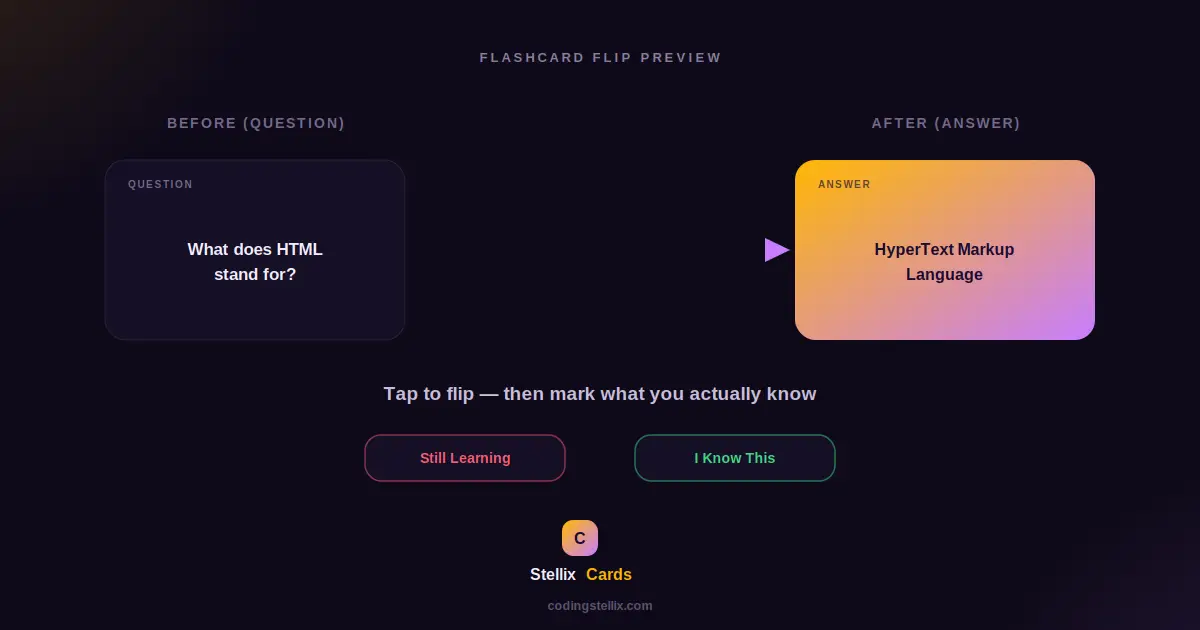
Flashcards have survived as a study method for over a century for a simple reason: they work. The act of trying to recall an answer before seeing it, rather than just re-reading notes, is one of the most reliable ways to make information stick. This walkthrough covers how to build a flashcard study app from scratch, including the part most tutorials skip entirely — a genuine 3D flip animation that makes the card feel like it’s physically turning over rather than just swapping text.
What We’re Building
The app has three simple stages. First, a deck builder where someone types in question-and-answer pairs to create their own set of cards. Second, a study mode that shows one card at a time, lets the person tap it to reveal the answer with a smooth flip, and then asks them to judge whether they actually knew it or are still learning it. Third, a results screen summarizing how the session went, with the option to study the same deck again or go back and edit it.
None of this needs a framework. A card flip, a progress bar, and a simple scoring system are all well within reach of plain HTML, CSS, and JavaScript working together.
Building a Card That Actually Flips in 3D
The most common shortcut for a “flip” effect is to just fade one piece of text out and another one in. It’s easy to build, but it doesn’t feel like a card turning over — it feels like text changing, which is a different sensation entirely. A genuine 3D flip needs a bit more CSS structure, but the payoff in how convincing it looks is significant.
The trick starts with a container that has 3D perspective enabled, which tells the browser to render its children as if they exist in three-dimensional space rather than flat on the screen. Inside that container sits the card itself, which gets two faces stacked directly on top of each other — a front face showing the question, and a back face showing the answer, rotated 180 degrees around the vertical axis from the start so it’s facing away from the viewer.
Both faces are told to hide their backside, which is what actually makes the flip look real. Without that setting, you’d see the answer’s text mirrored and see-through behind the question the whole time. With it, only whichever face is currently pointed toward the viewer is visible at all. When the card is tapped, a single class gets toggled that rotates the whole card 180 degrees, and because the transform is animated with a transition rather than applied instantly, the card visibly rotates through that mid-turn moment where you’d glimpse its edge — exactly like a real card being flipped by hand.
Structuring the Deck as Data, Not Markup
Rather than hand-writing HTML for every card someone creates, it works far better to store the deck as a plain list of question-and-answer pairs in JavaScript, and generate the actual card display from whichever item in that list is currently active. This keeps the deck-building step simple: adding a card just means pushing a new entry onto that list and re-rendering the small deck preview, and studying a card just means reading the current entry’s question and answer into the flip card’s two faces before showing it.
This separation also makes the “study again” and “edit deck” flows straightforward. Studying again just means resetting the current position back to the start of the same list. Editing the deck means going back to the builder screen, where that same list is still sitting in memory, untouched by whatever happened during the study session.
Tracking What Someone Actually Knows
A flashcard app that doesn’t track anything is really just a slideshow. The part that turns it into a genuine study tool is asking, after every card, whether the person actually knew the answer or is still learning it, and keeping a running count of both. That single yes-or-no judgment, repeated across the whole deck, produces a percentage at the end that’s far more meaningful than just finishing a deck of cards without reflecting on any of them.
A progress bar tied to how far through the deck someone currently is gives a sense of how much is left, which matters for motivation in a way that’s easy to underestimate — an unmarked pile of cards feels endless, while a bar visibly filling up feels like real progress being made.
Designing the Results Screen to Actually Encourage Return Visits
The easiest mistake to make with a results screen is treating it as an afterthought — just a plain number and a restart button. A results screen that reacts to how the session actually went, with a different message for a strong result versus a rough one, makes the whole app feel like it’s paying attention rather than just logging a score. Pairing the percentage with a genuine breakdown — how many cards were known outright versus how many still need review — also gives someone a clear next action: study the same deck again, focusing mentally on the ones they marked as still learning.
Making the Whole Thing Feel Cohesive
A few smaller touches tie the experience together. Loading a ready-made sample deck the moment someone opens the app, rather than showing them an empty form and expecting them to start typing immediately, lowers the barrier to actually trying the tool out. Keyboard support for submitting a new card by pressing Enter rather than requiring a mouse click speeds up the process of building a longer deck. And consistent visual language between the builder, the study screen, and the results screen — the same colors, the same rounded shapes, the same button styles — keeps the whole thing feeling like one connected app rather than three separate screens bolted together.
Why This Pattern Extends Well Beyond Flashcards
The core structure here — a list of data driving a single reusable display component, with simple state tracking layered on top — is a pattern that shows up constantly in web development, far beyond just flashcards. A quiz, a slideshow, a step-by-step wizard form, and a flashcard deck all share the same underlying shape: one item visible at a time, drawn from a list, with some kind of progress or scoring layered over the top. Once this pattern feels comfortable to build, adapting it to a different kind of content is mostly a matter of changing what gets displayed on each card, not rebuilding the whole approach from scratch.
The complete flashcard app lives in a single self-contained HTML file — open it, load the sample deck, and study through a few cards to see the flip animation and scoring in action, then look at how the pieces fit together in the code itself.
<!DOCTYPE html>
<html lang="en" data-theme="dark">
<head>
<meta charset="UTF-8">
<meta name="viewport" content="width=device-width, initial-scale=1.0">
<title>Stellix Cards — Flashcard Study App | Coding Stellix</title>
<link rel="preconnect" href="https://fonts.googleapis.com">
<link rel="preconnect" href="https://fonts.gstatic.com" crossorigin>
<link href="https://fonts.googleapis.com/css2?family=Jost:wght@300;400;500;600;700;800&display=swap" rel="stylesheet">
<style>
:root{
--bg:#0f0a1a;
--bg-soft:#160f26;
--card:rgba(255,255,255,.05);
--card-border:rgba(255,255,255,.1);
--text:#f3eefc;
--muted:#a394bd;
--brand:#ffb703;
--brand-soft:#ffd166;
--accent2:#c77dff;
--glow:rgba(255,183,3,.26);
--input-bg:rgba(255,255,255,.06);
--know:#3ddc84;
--learn:#ff5c72;
--shadow:0 24px 70px rgba(0,0,0,.55);
}
[data-theme="light"]{
--bg:#faf6f0;
--bg-soft:#ffffff;
--card:rgba(255,255,255,.8);
--card-border:rgba(40,20,60,.1);
--text:#241735;
--muted:#75688c;
--glow:rgba(255,183,3,.2);
--input-bg:rgba(40,20,60,.05);
--shadow:0 20px 55px rgba(90,50,20,.14);
}
*{margin:0;padding:0;box-sizing:border-box;-webkit-tap-highlight-color:transparent}
body{
font-family:'Jost',sans-serif;
background:var(--bg);color:var(--text);
min-height:100vh;overflow-x:hidden;
transition:background .45s,color .45s;
}
body::before{
content:"";position:fixed;inset:0;pointer-events:none;z-index:0;
background:
radial-gradient(650px 450px at 92% -10%,var(--glow),transparent 65%),
radial-gradient(550px 420px at -12% 108%,rgba(199,125,255,.16),transparent 60%);
}
.wrap{position:relative;z-index:1;max-width:640px;margin:0 auto;padding:0 18px}
header{display:flex;align-items:center;justify-content:space-between;padding:20px 0}
.logo{display:flex;align-items:center;gap:11px;user-select:none}
.logo-mark{
width:42px;height:42px;border-radius:13px;
background:linear-gradient(135deg,var(--brand),var(--accent2));
display:grid;place-items:center;color:#1a0a2e;font-size:1.2rem;font-weight:800;
box-shadow:0 6px 22px var(--glow);
}
.logo-name{font-weight:700;font-size:1.2rem}
.logo-name span{color:var(--brand)}
.logo small{display:block;font-size:.6rem;letter-spacing:2.6px;text-transform:uppercase;color:var(--muted);font-weight:500}
#themeBtn{
width:44px;height:44px;border-radius:50%;cursor:pointer;
border:1px solid var(--card-border);background:var(--card);color:var(--text);
font-size:1.12rem;backdrop-filter:blur(10px);
display:grid;place-items:center;transition:transform .3s,box-shadow .3s;
}
#themeBtn:hover{transform:rotate(18deg) scale(1.08);box-shadow:0 0 20px var(--glow)}
#themeBtn:focus-visible{outline:2px solid var(--brand);outline-offset:3px}
.hero{text-align:center;padding:12px 0 4px;animation:rise .7s ease both}
.hero h1{font-size:clamp(1.8rem,5vw,2.6rem);font-weight:800;letter-spacing:-.5px;line-height:1.2}
.hero h1 em{
font-style:normal;background:linear-gradient(120deg,var(--brand),var(--accent2));
-webkit-background-clip:text;background-clip:text;color:transparent;
}
.hero p{color:var(--muted);margin-top:8px;font-size:.95rem}
.panel{
background:var(--card);border:1px solid var(--card-border);
border-radius:24px;padding:22px;margin-top:20px;
backdrop-filter:blur(14px);box-shadow:var(--shadow);
animation:rise .7s .08s ease both;
}
.panel h3{font-size:.75rem;font-weight:700;letter-spacing:2px;text-transform:uppercase;color:var(--muted);margin-bottom:12px}
.card-row{display:flex;gap:8px;margin-bottom:10px}
.card-row input{
flex:1;font-family:inherit;font-size:.9rem;font-weight:500;
padding:11px 14px;border-radius:12px;color:var(--text);
background:var(--input-bg);border:1px solid var(--card-border);outline:none;
}
.card-row input:focus{border-color:var(--brand)}
.card-row button{
width:42px;flex-shrink:0;font-family:inherit;font-weight:700;font-size:1.1rem;
border-radius:12px;border:none;cursor:pointer;
background:linear-gradient(135deg,var(--brand),var(--brand-soft));color:#1a0a2e;
}
.deck-list{display:flex;flex-direction:column;gap:8px;margin-bottom:16px;max-height:220px;overflow-y:auto}
.deck-item{
display:flex;align-items:center;justify-content:space-between;gap:10px;
background:var(--input-bg);border:1px solid var(--card-border);border-radius:12px;
padding:10px 14px;
}
.deck-item .qa{font-size:.84rem;overflow:hidden}
.deck-item .qa b{display:block;font-weight:600}
.deck-item .qa span{color:var(--muted);font-size:.78rem}
.deck-item button{background:none;border:none;color:var(--muted);cursor:pointer;font-size:.95rem}
.deck-item button:hover{color:var(--learn)}
.empty-deck{text-align:center;color:var(--muted);font-size:.85rem;padding:14px 0}
.btn-row{display:flex;gap:10px;flex-wrap:wrap}
.btn{
font-family:inherit;font-weight:700;font-size:.9rem;
padding:13px 22px;border-radius:999px;cursor:pointer;border:none;
transition:transform .25s;flex:1;
}
.btn.primary{background:linear-gradient(135deg,var(--brand),var(--accent2));color:#1a0a2e;box-shadow:0 8px 24px var(--glow)}
.btn.ghost{background:var(--card);color:var(--text);border:1px solid var(--card-border);flex:0 0 auto}
.btn:hover{transform:translateY(-2px)}
.btn:disabled{opacity:.4;cursor:not-allowed;transform:none}
.btn:focus-visible{outline:2px solid var(--brand);outline-offset:2px}
.study-top{display:flex;justify-content:space-between;align-items:center;margin-bottom:16px}
.study-top span{font-size:.85rem;font-weight:700;color:var(--muted)}
.progress-track{height:6px;border-radius:99px;background:var(--card-border);overflow:hidden;margin-bottom:22px}
.progress-fill{height:100%;border-radius:99px;background:linear-gradient(90deg,var(--brand),var(--accent2));transition:width .4s ease}
.flip-stage{perspective:1400px;margin-bottom:20px}
.flip-card{
position:relative;width:100%;aspect-ratio:16/10;cursor:pointer;
transform-style:preserve-3d;transition:transform .6s cubic-bezier(.4,.2,.2,1);
}
.flip-card.flipped{transform:rotateY(180deg)}
.face{
position:absolute;inset:0;backface-visibility:hidden;
border-radius:22px;border:1px solid var(--card-border);
display:flex;align-items:center;justify-content:center;text-align:center;
padding:30px;font-size:1.3rem;font-weight:700;line-height:1.4;
box-shadow:var(--shadow);
}
.face.front{background:linear-gradient(150deg,var(--card),var(--input-bg))}
.face.back{
background:linear-gradient(150deg,var(--brand),var(--accent2));
color:#1a0a2e;transform:rotateY(180deg);
}
.face .tag{
position:absolute;top:16px;left:20px;font-size:.68rem;font-weight:700;
letter-spacing:1.5px;text-transform:uppercase;opacity:.6;
}
.flip-hint{text-align:center;color:var(--muted);font-size:.8rem;margin-bottom:20px}
.judge-row{display:flex;gap:12px}
.judge-btn{
flex:1;font-family:inherit;font-weight:700;font-size:.95rem;
padding:15px;border-radius:16px;border:none;cursor:pointer;
display:flex;align-items:center;justify-content:center;gap:8px;
transition:transform .25s;
}
.judge-btn.learn{background:rgba(255,92,114,.15);color:var(--learn);border:1.5px solid var(--learn)}
.judge-btn.know{background:rgba(61,220,132,.15);color:var(--know);border:1.5px solid var(--know)}
.judge-btn:hover{transform:translateY(-2px)}
.judge-btn:focus-visible{outline:2px solid var(--text);outline-offset:2px}
.result-view{text-align:center;padding:10px 0}
.result-view .big{font-size:3rem;font-weight:800;margin:10px 0}
.result-view .stats-row{display:flex;justify-content:center;gap:26px;margin:18px 0 22px}
.result-view .stats-row div b{display:block;font-size:1.4rem;font-weight:800}
.result-view .stats-row div span{font-size:.72rem;color:var(--muted);text-transform:uppercase;letter-spacing:1px}
footer{text-align:center;padding:26px 0 36px;color:var(--muted);font-size:.86rem}
footer b{color:var(--brand)}
@keyframes rise{from{opacity:0;transform:translateY(20px)}to{opacity:1;transform:none}}
@media(max-width:480px){
.panel{padding:18px 15px}
.face{font-size:1.05rem;padding:20px}
}
@media (prefers-reduced-motion: reduce){
*,*::before,*::after{animation-duration:.01ms!important;transition-duration:.01ms!important}
}
</style>
</head>
<body>
<div class="wrap">
<header>
<div class="logo">
<div class="logo-mark">◆</div>
<div>
<div class="logo-name">Stellix <span>Cards</span></div>
<small>by Coding Stellix</small>
</div>
</div>
<button id="themeBtn" aria-label="Toggle light and dark mode" title="Toggle theme">🌙</button>
</header>
<section class="hero">
<h1>Study smarter with <em>flashcards</em></h1>
<p>Build a deck, flip through it, and track what you actually know.</p>
</section>
<div class="panel" id="builderView">
<h3>Add a Card</h3>
<div class="card-row">
<input type="text" id="questionInput" placeholder="Question / front side…">
</div>
<div class="card-row">
<input type="text" id="answerInput" placeholder="Answer / back side…">
<button id="addCardBtn">+</button>
</div>
<h3 style="margin-top:16px">Your Deck (<span id="deckCount">0</span>)</h3>
<div class="deck-list" id="deckList"></div>
<div class="btn-row">
<button class="btn ghost" id="loadSampleBtn">Load Sample</button>
<button class="btn ghost" id="clearDeckBtn">Clear</button>
<button class="btn primary" id="studyBtn" disabled>▶ Study Deck</button>
</div>
</div>
<div class="panel" id="studyView" style="display:none">
<div class="study-top">
<span id="studyProgress">Card 1 / 5</span>
<span id="studyCounts">👍 0 👎 0</span>
</div>
<div class="progress-track"><div class="progress-fill" id="progressFill" style="width:0%"></div></div>
<div class="flip-stage">
<div class="flip-card" id="flipCard">
<div class="face front"><span class="tag">Question</span><span id="frontText"></span></div>
<div class="face back"><span class="tag">Answer</span><span id="backText"></span></div>
</div>
</div>
<p class="flip-hint">Tap the card to flip it</p>
<div class="judge-row">
<button class="judge-btn learn" id="learnBtn">👎 Still Learning</button>
<button class="judge-btn know" id="knowBtn">👍 I Know This</button>
</div>
</div>
<div class="panel result-view" id="resultView" style="display:none">
<div style="font-size:.85rem;font-weight:700;letter-spacing:1.5px;color:var(--muted);text-transform:uppercase">Deck Complete</div>
<div class="big" id="resultPct">0%</div>
<p id="resultMsg" style="color:var(--muted)">Nice work!</p>
<div class="stats-row">
<div><b id="resultKnow" style="color:var(--know)">0</b><span>Knew It</span></div>
<div><b id="resultLearn" style="color:var(--learn)">0</b><span>Still Learning</span></div>
</div>
<div class="btn-row">
<button class="btn ghost" id="editBtn">✎ Edit Deck</button>
<button class="btn primary" id="retryBtn">↻ Study Again</button>
</div>
</div>
<footer>Crafted with 🧡 by <b>Coding Stellix</b> — Stellix Cards v1.0</footer>
</div>
<script>
// ============================================================
// Stellix Cards v1.0 — Flashcard Study App
// Crafted by Coding Stellix (coding_stellix)
// ============================================================
(function(){
"use strict";
var $ = function(id){ return document.getElementById(id); };
var deck = [];
var cardCounter = 0;
var SAMPLE = [
{ q: "What does HTML stand for?", a: "HyperText Markup Language" },
{ q: "What tag creates a hyperlink?", a: "<a> tag" },
{ q: "What does CSS control?", a: "The visual style and layout of a page" },
{ q: "What keyword declares a variable that can't be reassigned?", a: "const" },
{ q: "What does API stand for?", a: "Application Programming Interface" }
];
var builderView = $("builderView"), studyView = $("studyView"), resultView = $("resultView");
var deckList = $("deckList"), deckCount = $("deckCount"), studyBtn = $("studyBtn");
function addCard(q, a){
cardCounter++;
deck.push({ id: cardCounter, q: q, a: a });
renderDeck();
}
function removeCard(id){
deck = deck.filter(function(c){ return c.id !== id; });
renderDeck();
}
function renderDeck(){
deckList.innerHTML = "";
if(deck.length === 0){
deckList.innerHTML = '<div class="empty-deck">No cards yet — add one above 📝</div>';
} else {
deck.forEach(function(c){
var item = document.createElement("div");
item.className = "deck-item";
item.innerHTML =
'<div class="qa"><b></b><span></span></div>' +
'<button aria-label="Remove card">✕</button>';
item.querySelector(".qa b").textContent = c.q;
item.querySelector(".qa span").textContent = c.a;
item.querySelector("button").addEventListener("click", function(){ removeCard(c.id); });
deckList.appendChild(item);
});
}
deckCount.textContent = deck.length;
studyBtn.disabled = deck.length === 0;
}
$("addCardBtn").addEventListener("click", function(){
var q = $("questionInput").value.trim();
var a = $("answerInput").value.trim();
if(!q || !a) return;
addCard(q, a);
$("questionInput").value = ""; $("answerInput").value = "";
$("questionInput").focus();
});
$("answerInput").addEventListener("keydown", function(e){
if(e.key === "Enter") $("addCardBtn").click();
});
$("loadSampleBtn").addEventListener("click", function(){
deck = []; cardCounter = 0;
SAMPLE.forEach(function(s){ addCard(s.q, s.a); });
});
$("clearDeckBtn").addEventListener("click", function(){
deck = []; renderDeck();
});
var session = [], curIdx = 0, knowCount = 0, learnCount = 0;
$("studyBtn").addEventListener("click", function(){
session = deck.slice();
curIdx = 0; knowCount = 0; learnCount = 0;
builderView.style.display = "none";
resultView.style.display = "none";
studyView.style.display = "block";
showCard();
});
function showCard(){
$("flipCard").classList.remove("flipped");
var c = session[curIdx];
$("frontText").textContent = c.q;
$("backText").textContent = c.a;
$("studyProgress").textContent = "Card " + (curIdx+1) + " / " + session.length;
$("progressFill").style.width = (curIdx / session.length * 100) + "%";
$("studyCounts").textContent = "👍 " + knowCount + " 👎 " + learnCount;
}
$("flipCard").addEventListener("click", function(){
this.classList.toggle("flipped");
});
function judge(knew){
if(knew) knowCount++; else learnCount++;
curIdx++;
if(curIdx < session.length) showCard();
else finishSession();
}
$("knowBtn").addEventListener("click", function(){ judge(true); });
$("learnBtn").addEventListener("click", function(){ judge(false); });
function finishSession(){
$("progressFill").style.width = "100%";
studyView.style.display = "none";
resultView.style.display = "block";
var pct = Math.round((knowCount / session.length) * 100);
$("resultPct").textContent = pct + "%";
$("resultKnow").textContent = knowCount;
$("resultLearn").textContent = learnCount;
$("resultMsg").textContent = pct === 100 ? "🎉 You know this deck cold!" :
pct >= 60 ? "💪 Solid progress — review the rest and go again." :
"🌱 Good start — repetition is how it sticks. Try again!";
}
$("retryBtn").addEventListener("click", function(){
curIdx = 0; knowCount = 0; learnCount = 0;
resultView.style.display = "none";
studyView.style.display = "block";
showCard();
});
$("editBtn").addEventListener("click", function(){
resultView.style.display = "none";
studyView.style.display = "none";
builderView.style.display = "block";
});
var themeBtn = $("themeBtn");
themeBtn.addEventListener("click", function(){
var html = document.documentElement;
var next = html.getAttribute("data-theme") === "dark" ? "light" : "dark";
html.setAttribute("data-theme", next);
themeBtn.textContent = next === "dark" ? "🌙" : "☀️";
});
renderDeck();
})();
</script>
</body>
</html>